Purpose : To set up SIM IT SDN BHD as the intermediary.
Please visit this link <https://www.hasil.gov.my/e-invois/portal-myinvois/> to learn closely how to allow SIM IT SDN BHD to submit an e-invoice on behalf of your company and register us as the intermediary on the MyInvois portal (live environment).
Generally, taxpayers and businesses must first log in to the MyTax Portal (testing environment) before proceeding to the live platform.
Once you learn how to log in to the MyInvois portal, refer to the details of SIM IT SDN BHD as an intermediary as shown below to do the registration:
Registering SIM IT SDN BHD as an Intermediary:
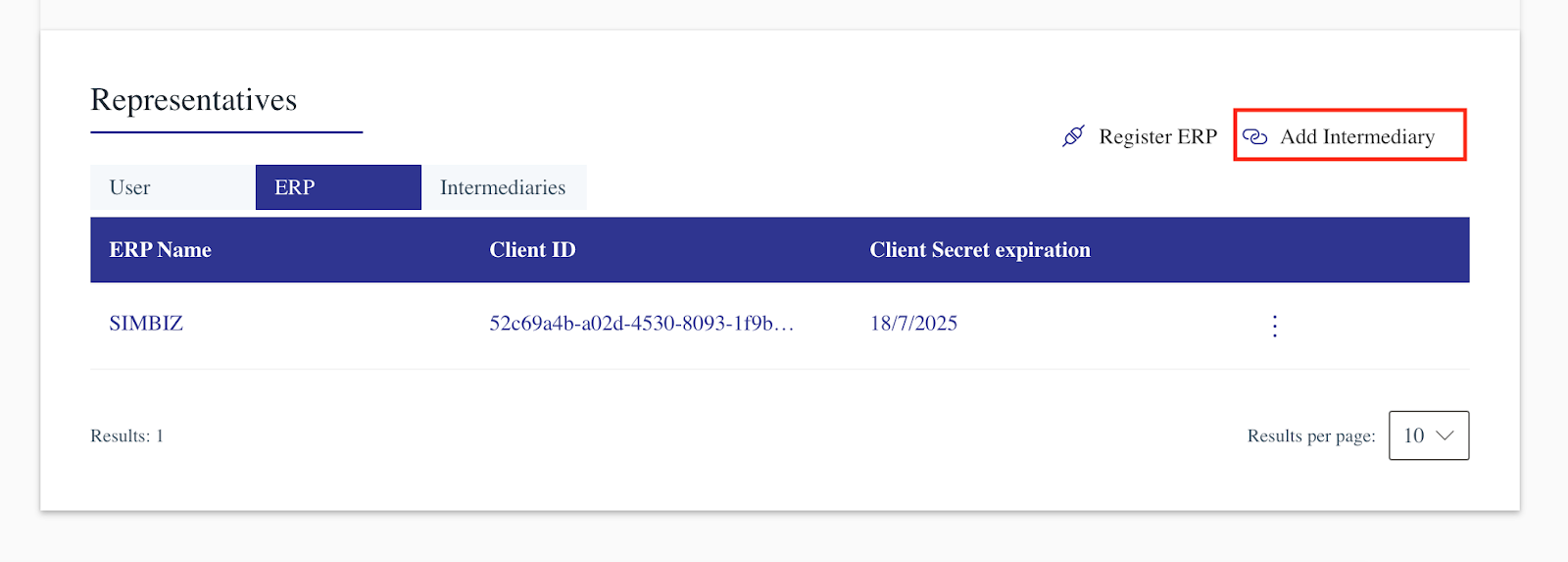
Step 1 : Click the Add Intermediary hyperlink.
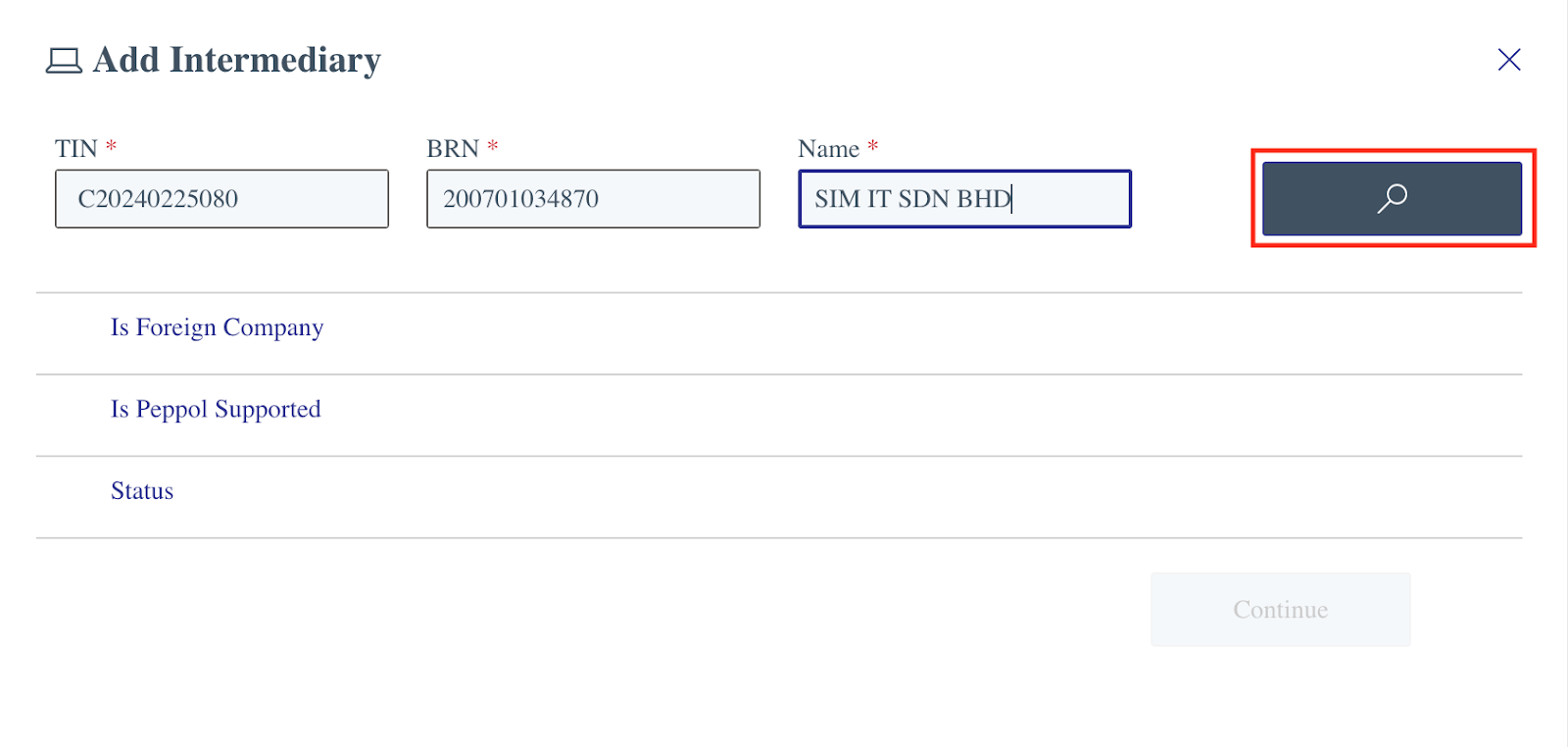
Step 2 : Key in SIMIT details below as shown in the image and click the Search button.
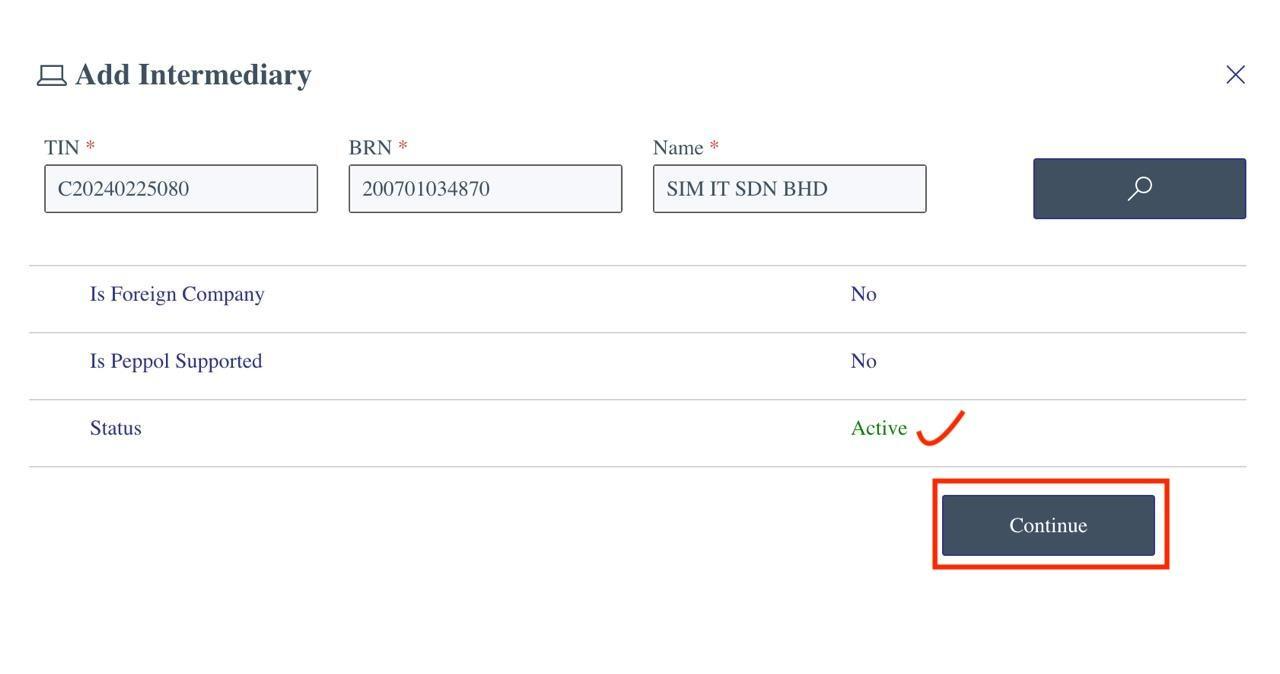
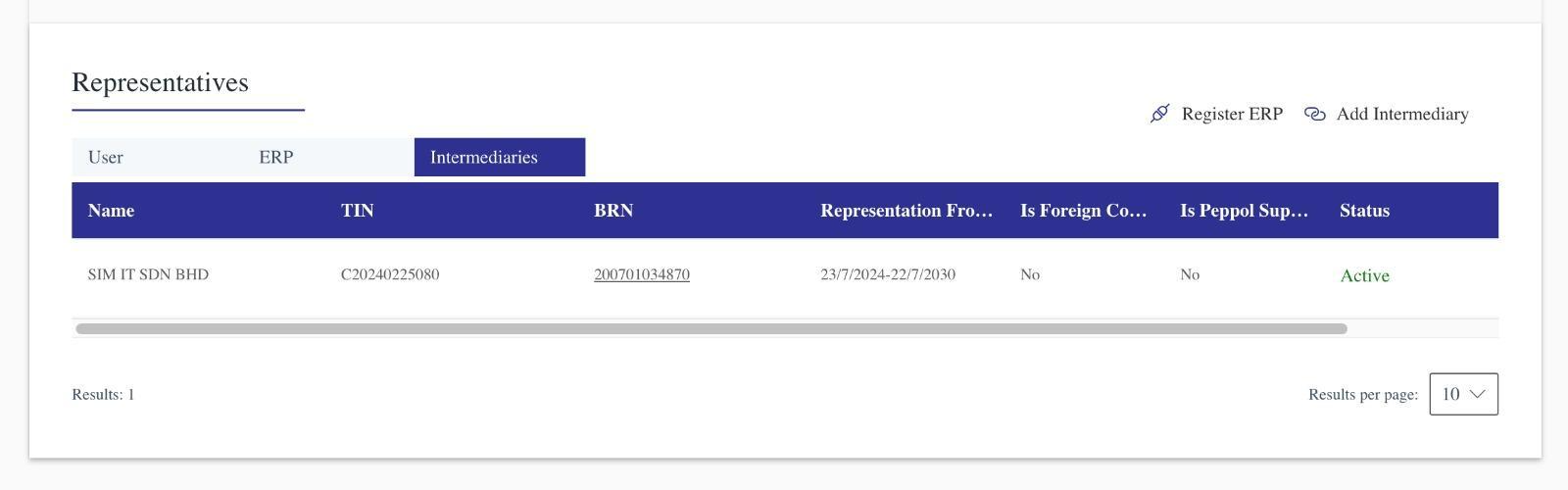
Step 3. You will see SIM IT’s status shows as ‘Active’. Press the Continue button.
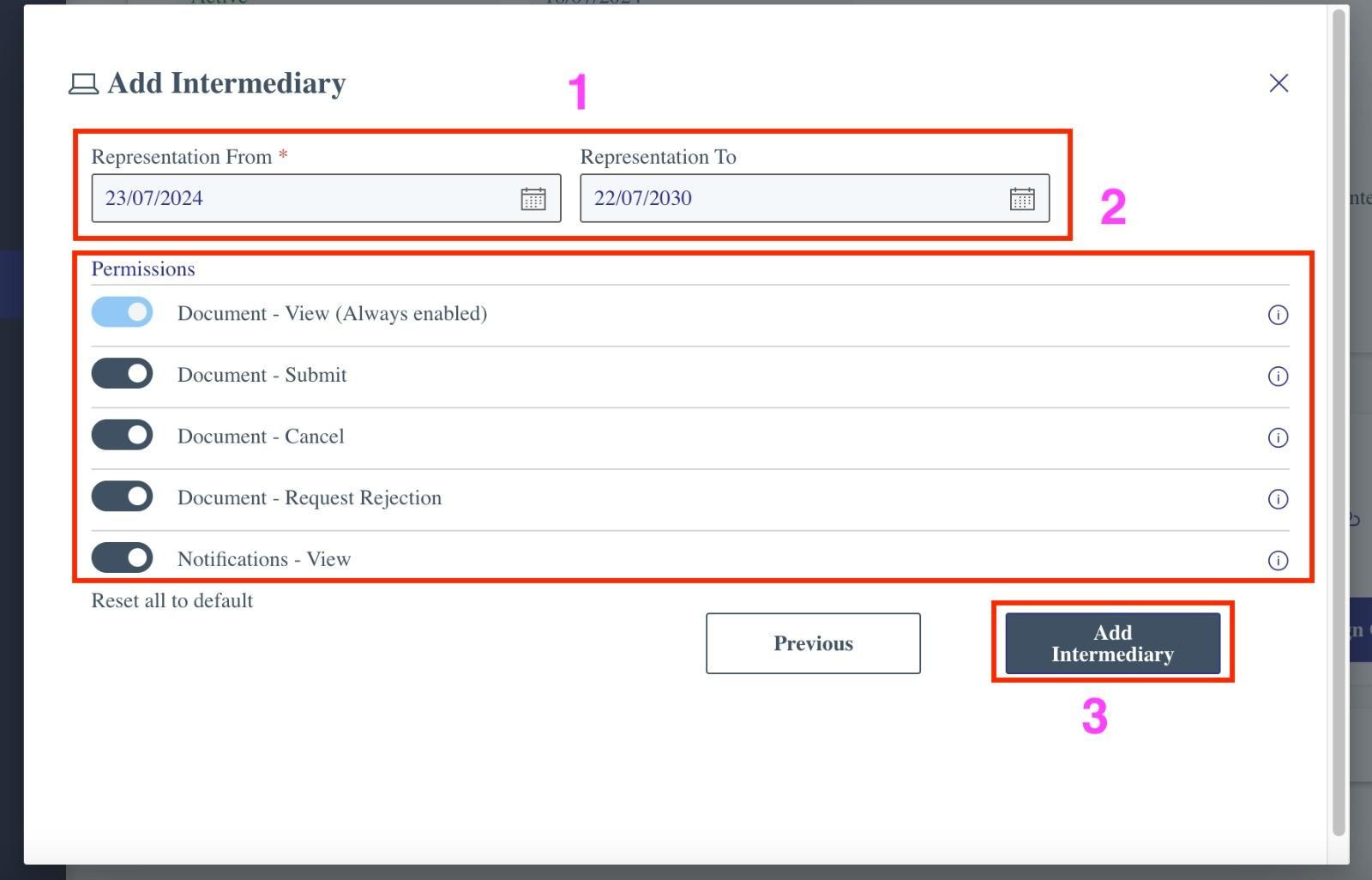
Step 4 : Configure the following:
- Part 1: Select the ‘Representation From and To’ date. This indicates the effective date for the e-invoice submission to be handled by the intermediary on behalf of the company. You may select the date based on your requirements since there is no limitation on the date selection.
- Part 2: Turn on all permissions for the intermediary.
- Part 3: Click the Add Intermediary button.
Was this article helpful?
That’s Great!
Thank you for your feedback
Sorry! We couldn't be helpful
Thank you for your feedback
Feedback sent
We appreciate your effort and will try to fix the article