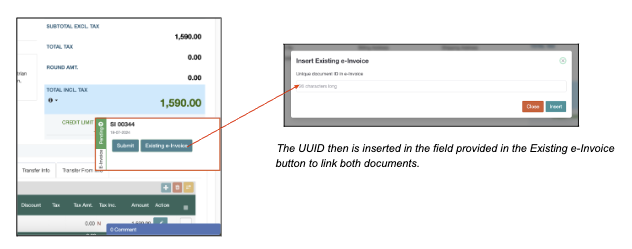
If users encounter technical issues that prevent submission through SimBiz®, users may create an invoice in the MyInvois portal manually and then, link both invoices in SimBiz® and the portal via the Existing e-Invoice button.
Step 1 : To do so, firstly users need to issue a manual e-invoice via the MyInvois portal. To learn, users may go to the PDF guidelines here >> Click Me and head over to page 45.
Step 2 : Once done, copy the e-invoice UUID generated from the portal and paste it into SimBiz® to link the transactions together.
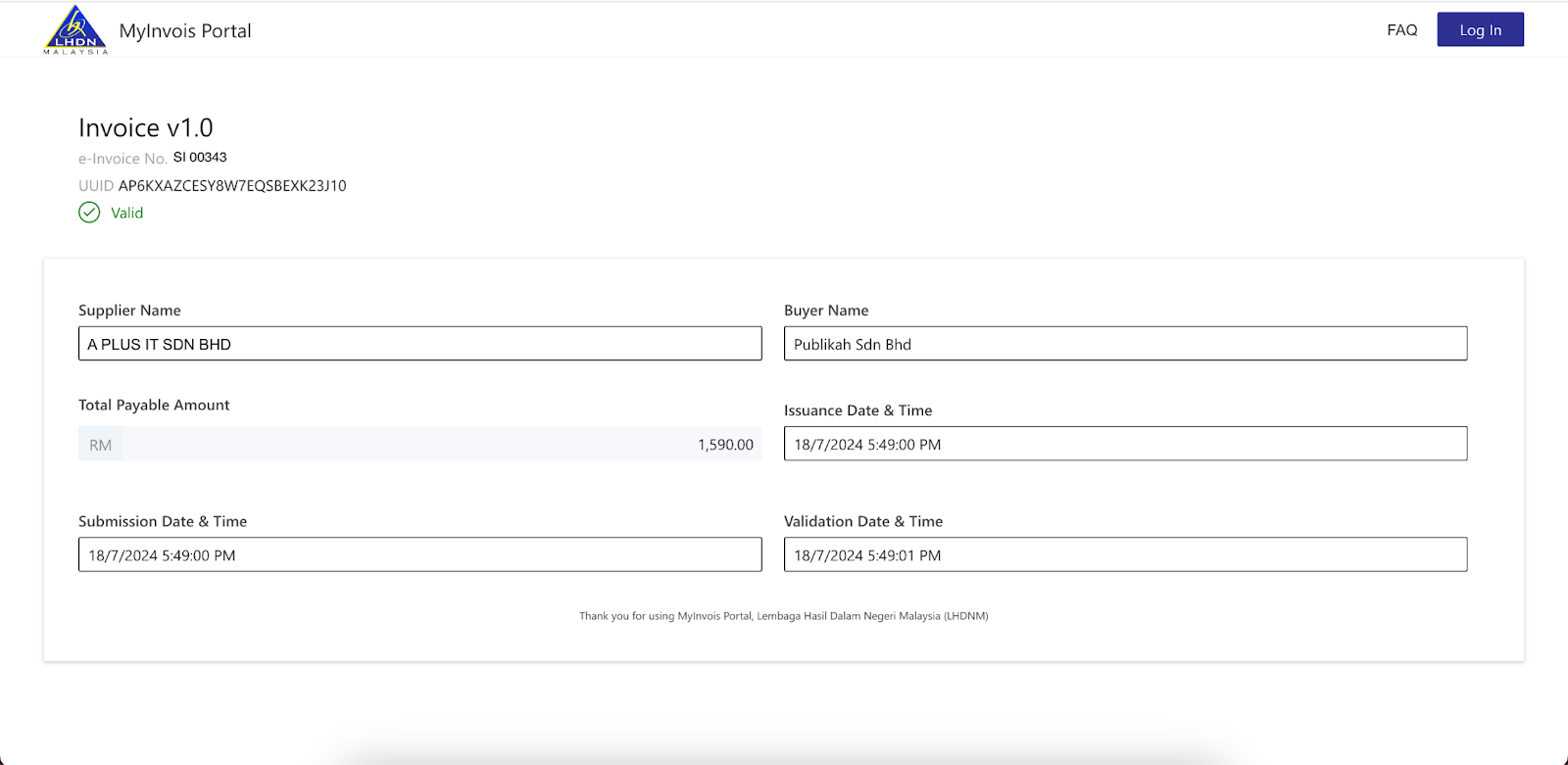
The image above shows a sample of a manually created invoice in the MyInvois portal with a generated UUID.
Was this article helpful?
That’s Great!
Thank you for your feedback
Sorry! We couldn't be helpful
Thank you for your feedback
Feedback sent
We appreciate your effort and will try to fix the article