Purpose: To track the status of e-invoices.
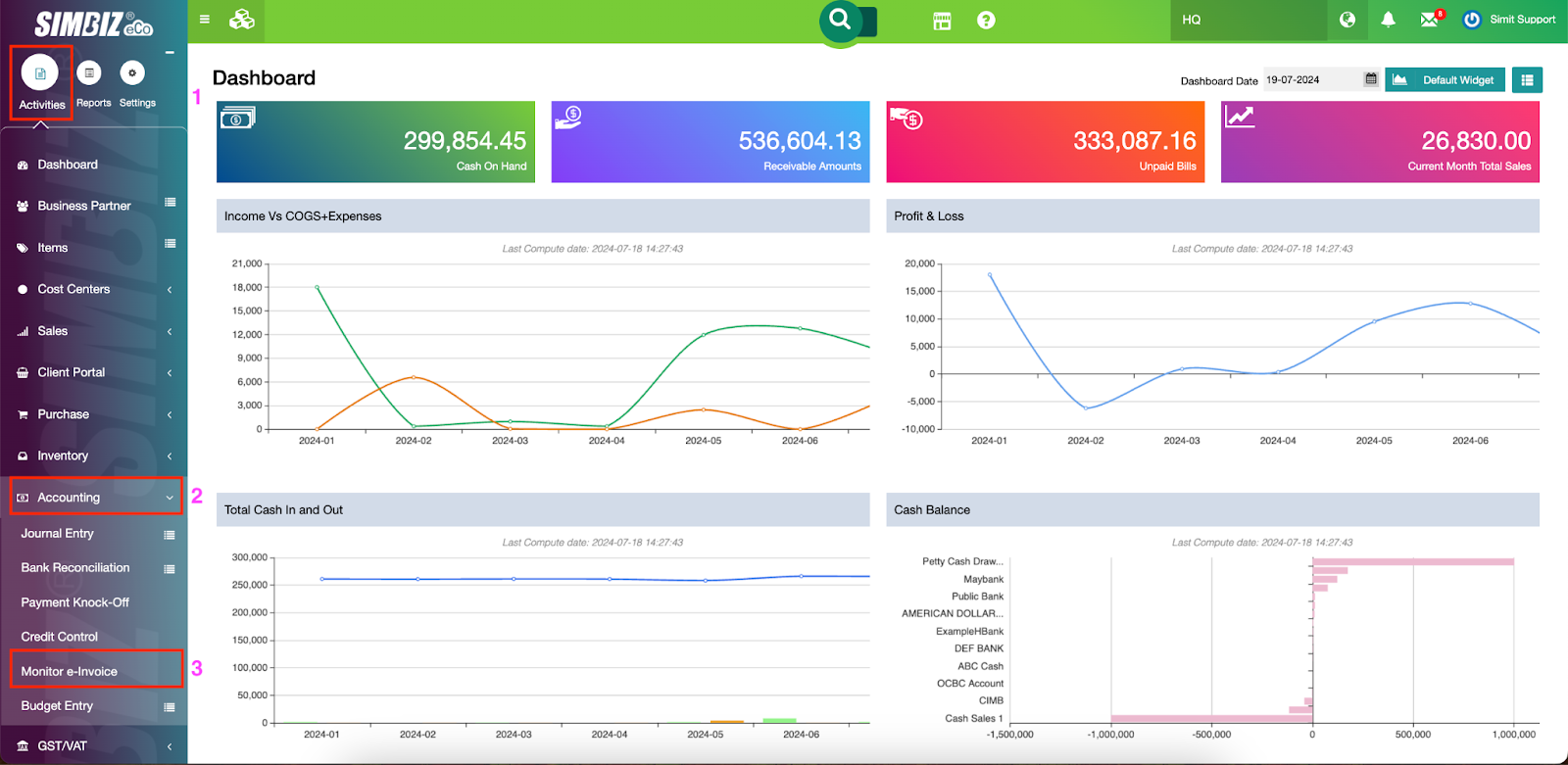
Step 1 : Navigate to the Activities section and go to the Accounting folder. Click the Monitor E-invoice to view all e-invoice transactions.
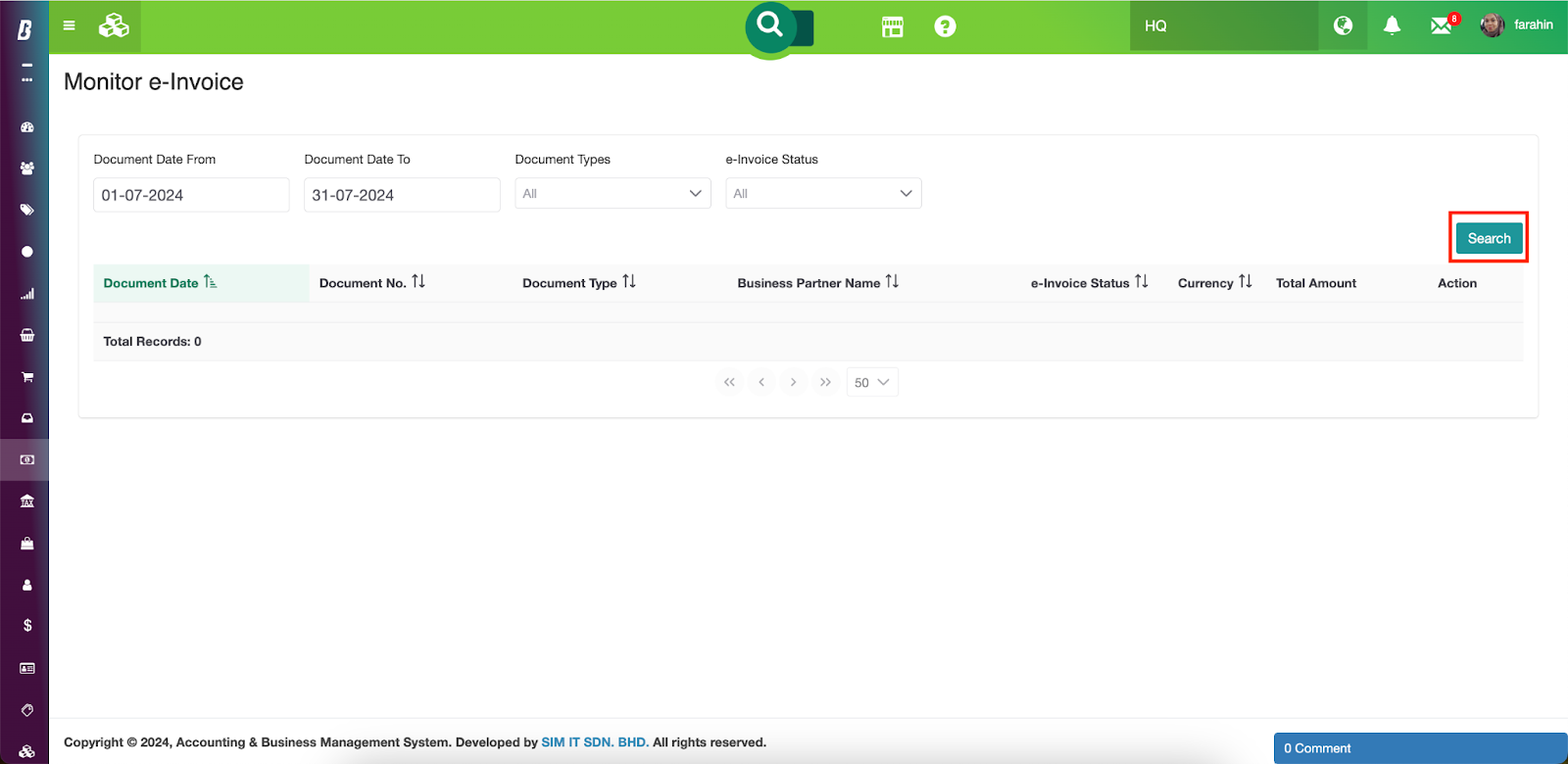
or, the search result can be filtered by choosing a particular document type or an e-Invoice status:
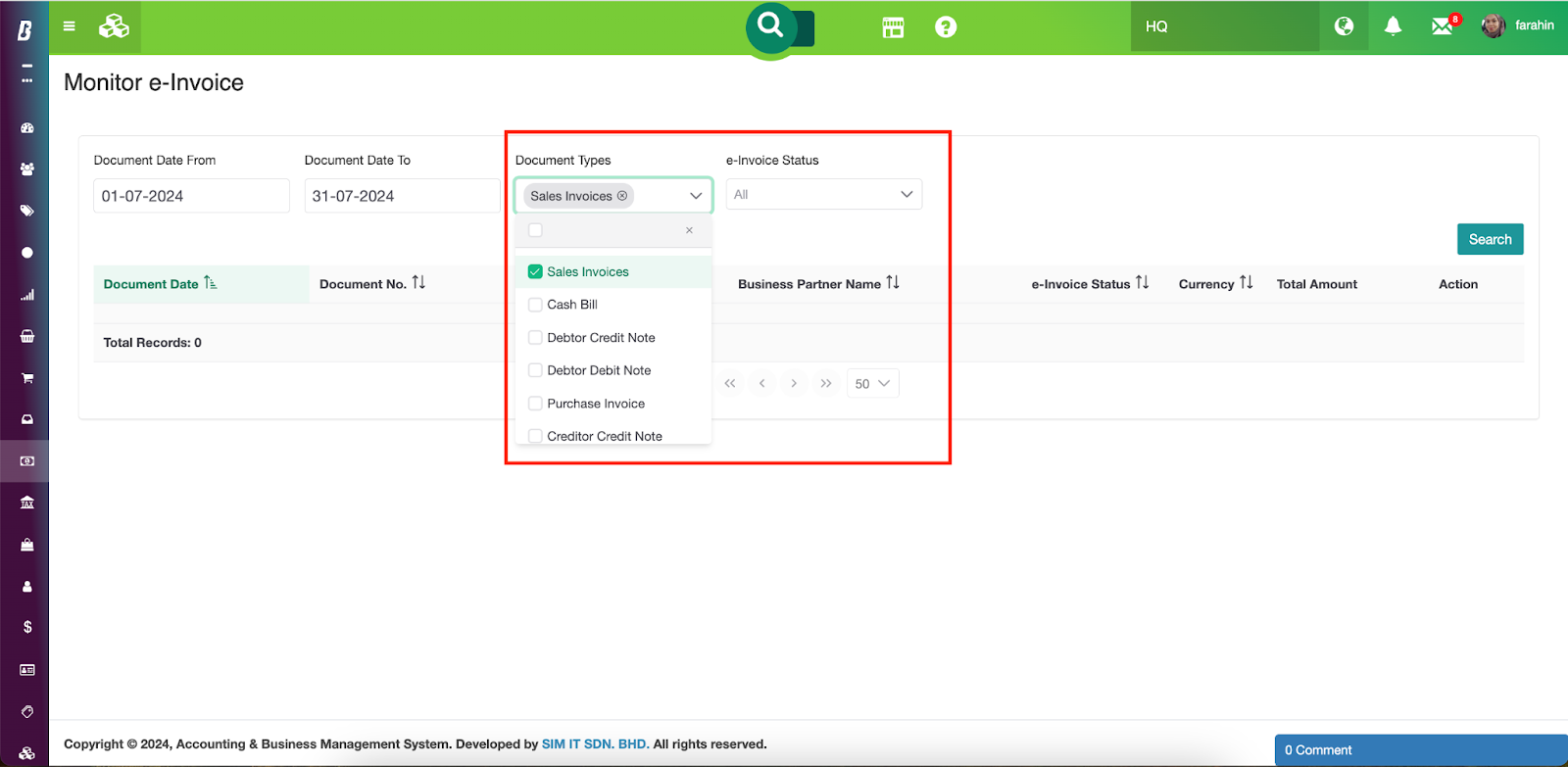
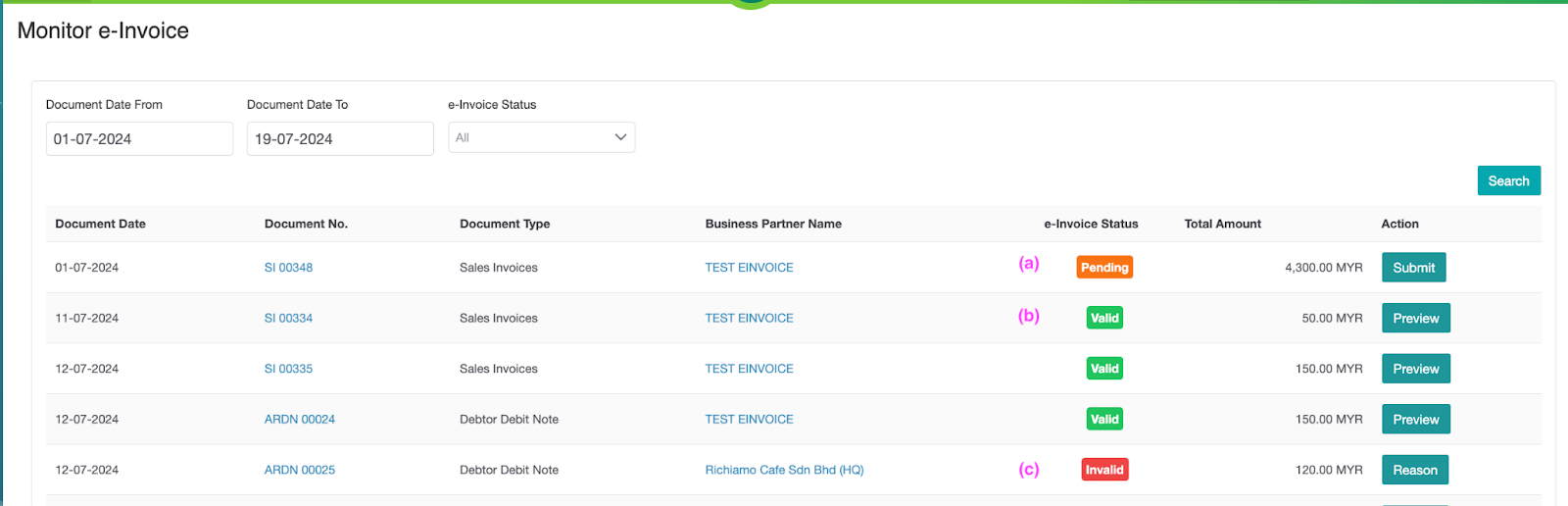
Step 3 : If no status is filtered, the screen displays transactions that are pending for submission, submitted, validated by MyInvois, invalid due to incomplete data, and cancelled.
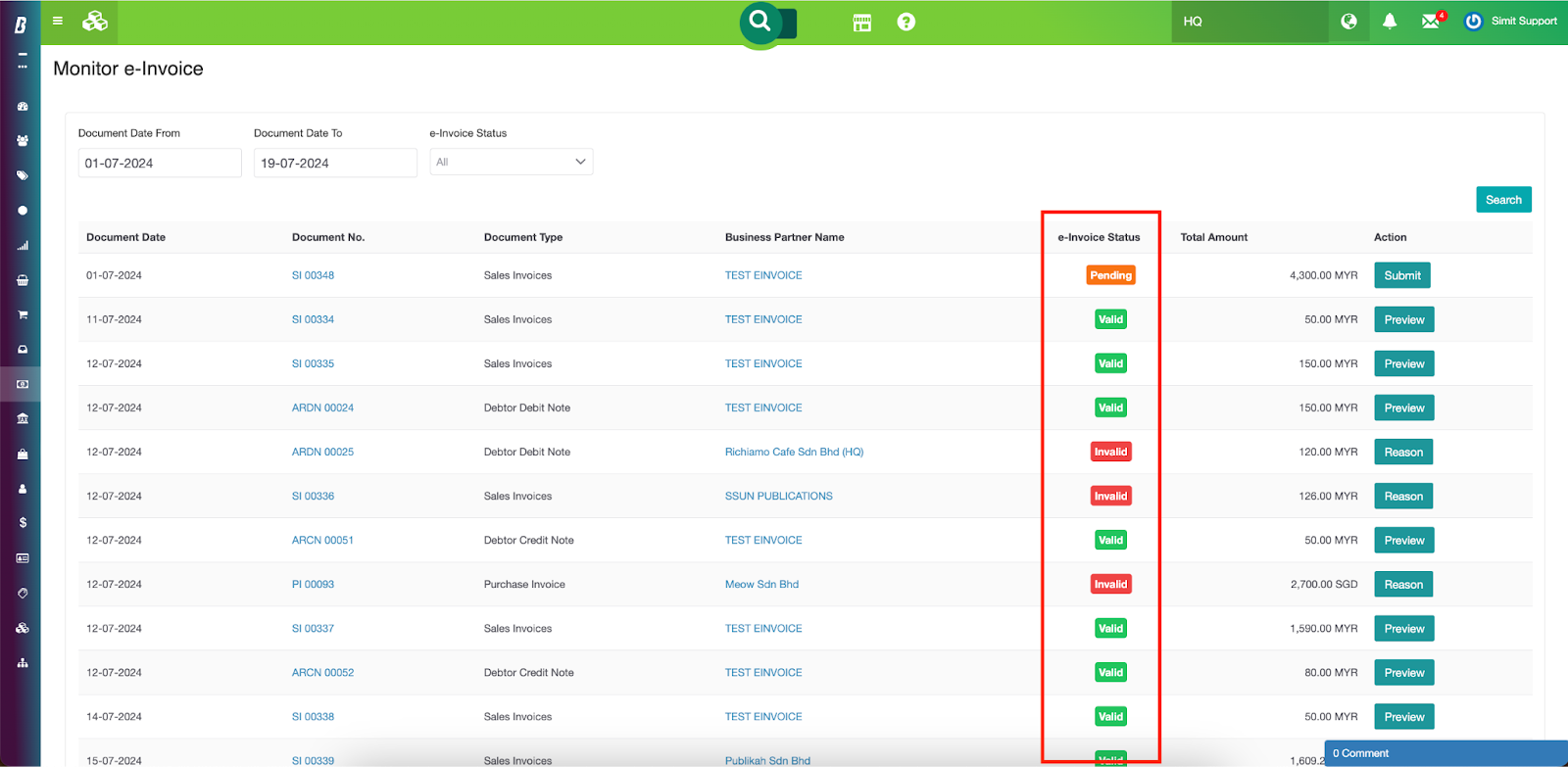
Step 4 : Apart from monitoring the e-invoice statuses, users can also do other activities on the page;
(a) submit pending transactions directly via the Submit button
(b) previewing the e-invoice details on the MyInvois portal via the Preview button
(c) view rejected reasons for e-invoices invalid for submission via the Reason button
Was this article helpful?
That’s Great!
Thank you for your feedback
Sorry! We couldn't be helpful
Thank you for your feedback
Feedback sent
We appreciate your effort and will try to fix the article