Users can also activate the auto-submission option in the system to automate the e-invoice submission process once the document is confirmed.
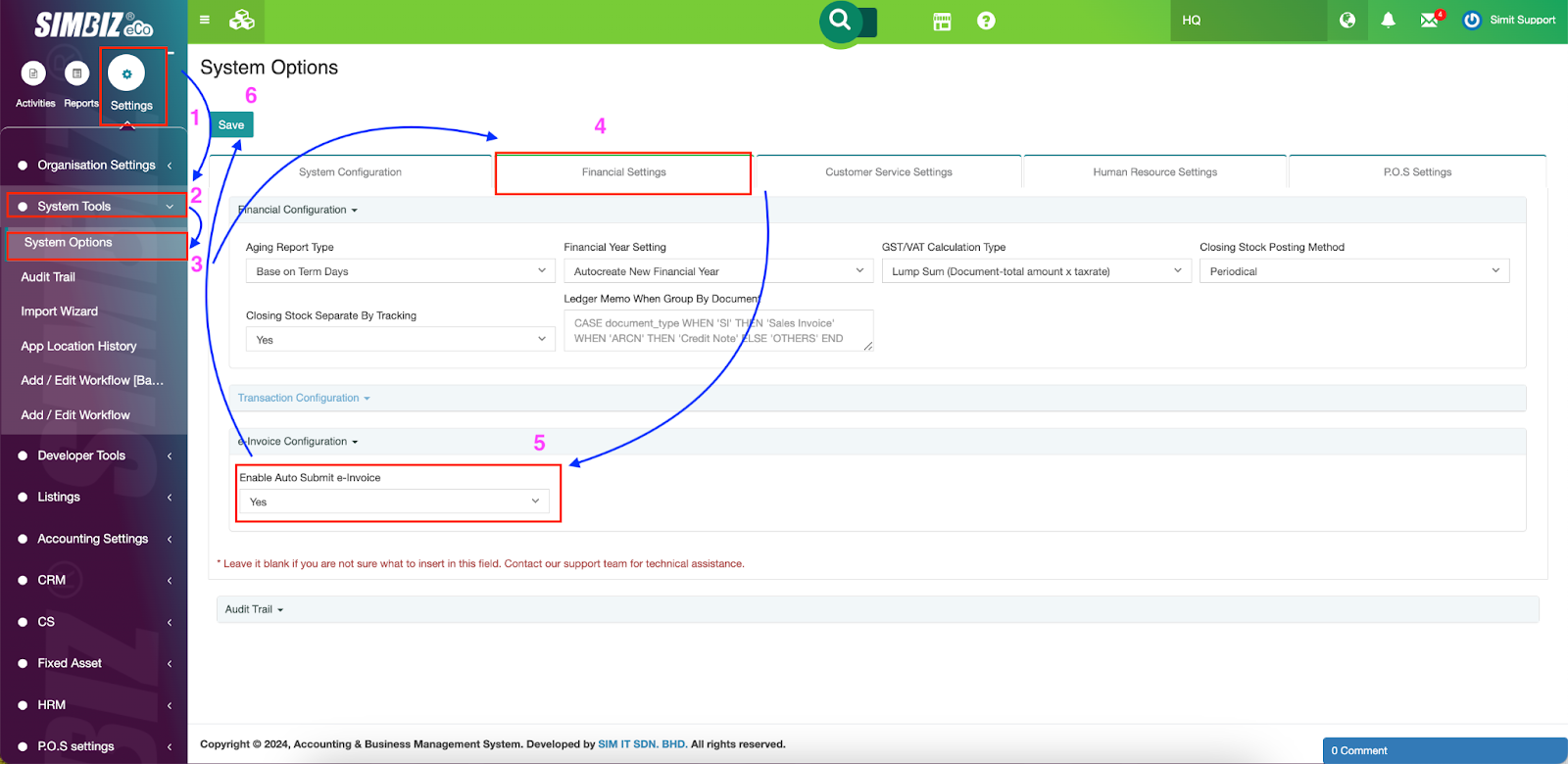
Step 1 : Go to the Settings section > System Tools > System Options.
Step 2 : Click the Financial Settings tab > Go to ‘Enable Auto Submit e-Invoice’ > Click Yes as shown below.
Step 3 : Click the Save button on the top left.
Was this article helpful?
That’s Great!
Thank you for your feedback
Sorry! We couldn't be helpful
Thank you for your feedback
Feedback sent
We appreciate your effort and will try to fix the article