Purpose: For specific eligible situations such as payments to agents, distributors, or foreign suppliers.
Steps 1 : Like the individual e-invoice submission process here, create the self-bill invoice via the Purchase Invoice in the Purchase module. Confirm the transaction document and submit it through the e-invoice sidebar.
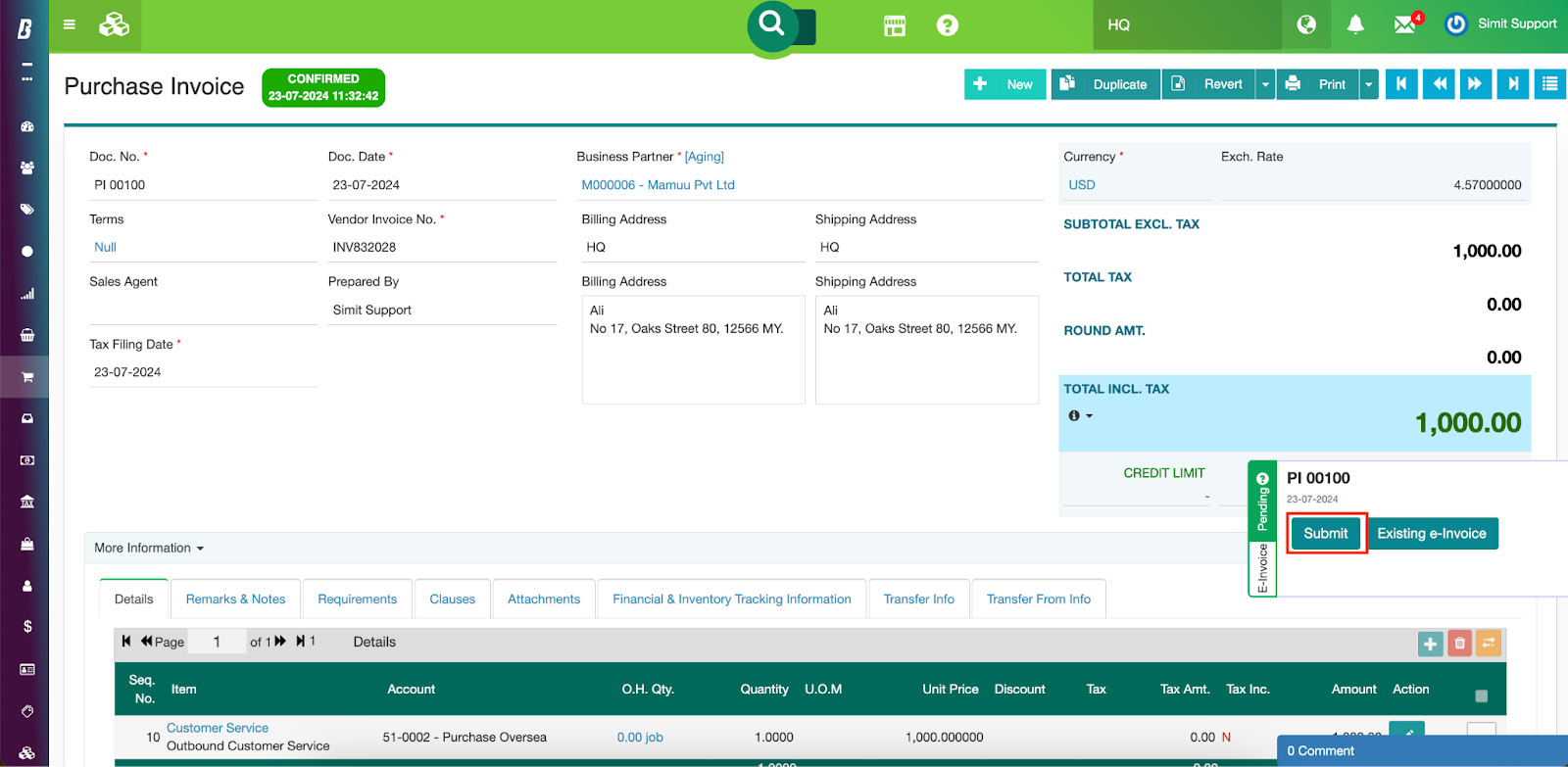
If you have turned on the auto-submission functionality, the self-bill will be forwarded to MyInvois automatically once it is confirmed.
The eligible scenarios that are allowed to be self-billed include:
Payments to agents, dealers, distributors, etc.
Goods sold or services rendered by foreign suppliers.
[Remarks: The standard TIN for foreign suppliers is EI00000000030]Profit distribution (e.g., dividend payments).
E-commerce transactions.
Payouts to betting and gaming winners.
Acquisition of goods or services from individual taxpayers not conducting a business.
Was this article helpful?
That’s Great!
Thank you for your feedback
Sorry! We couldn't be helpful
Thank you for your feedback
Feedback sent
We appreciate your effort and will try to fix the article