If a user already has access to the SimBiz system previously and has been suspended, after that user wants to re-invite a user account that has been suspended in the system, user may follow the steps below :
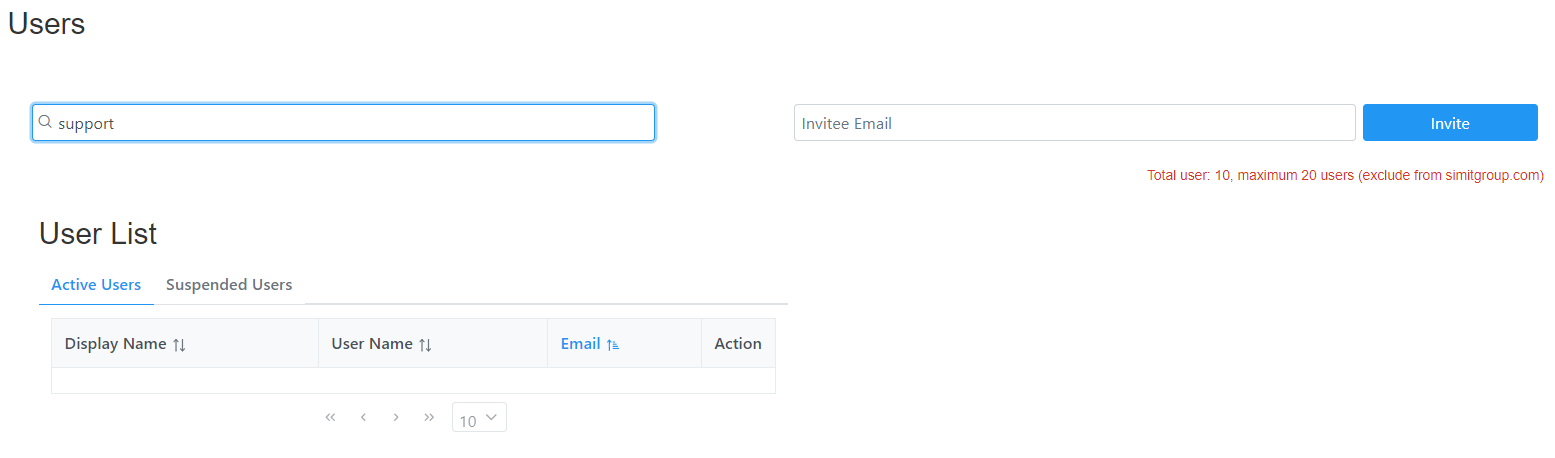
Step 1 : Go to the User page and search for the email or username account.
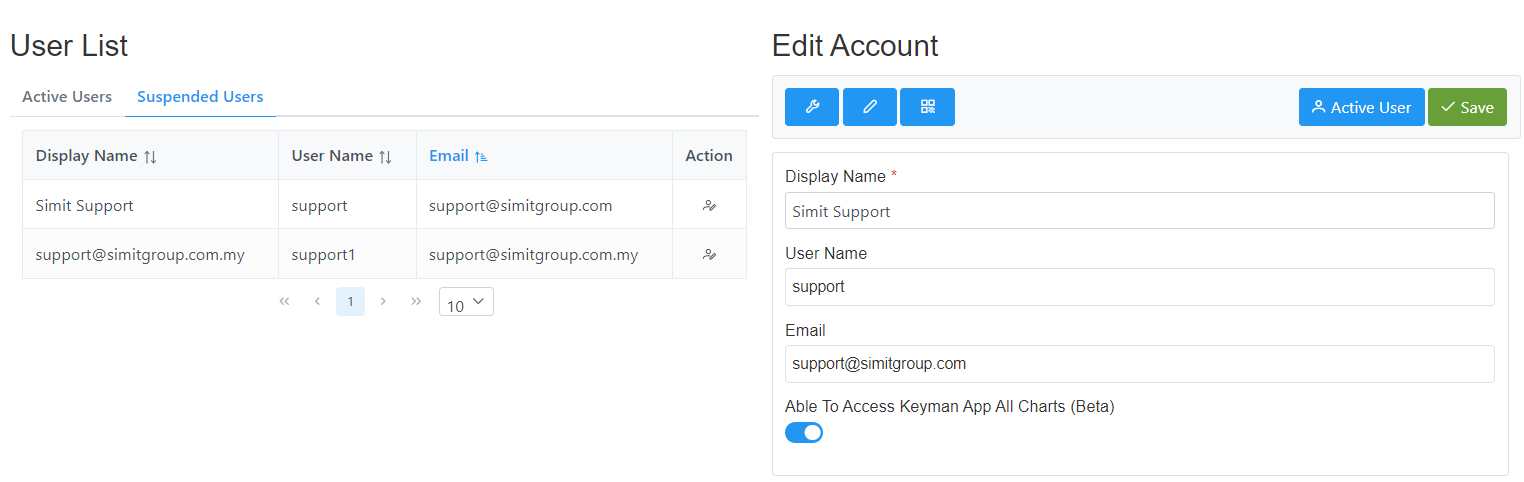
Step 2 : Check on the 'Suspended Users' tab. The user can click to the name and the 'Edit Account' section will appear on the right side.
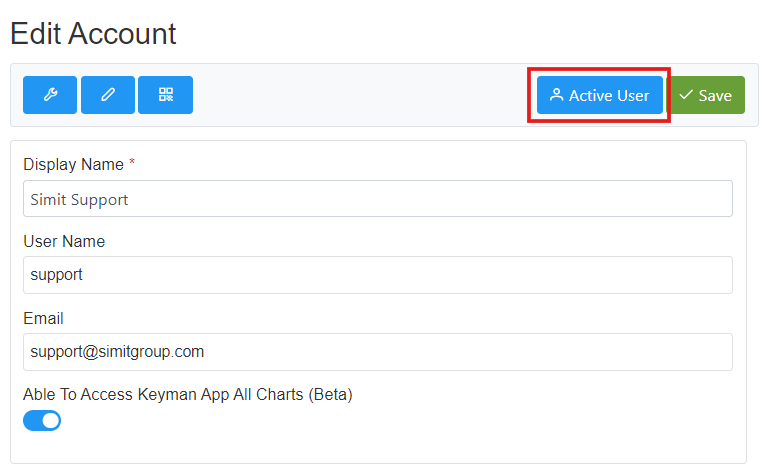
Step 3 : Users require to click the "Active User" button in order to re-invite the account to access the SimBiz system again.
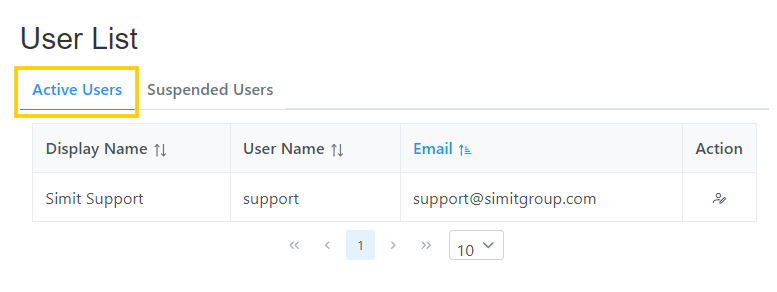
Step 4 : You will see the user account now under the 'Active Users' list and be able to login to the SimBiz system again.
Was this article helpful?
That’s Great!
Thank you for your feedback
Sorry! We couldn't be helpful
Thank you for your feedback
Feedback sent
We appreciate your effort and will try to fix the article