TABLE OF CONTENTS
1.1 User Registration Steps
1.2 Common Registration Errors
1.2.1 Email already exists
1.2.2 Username already exists
1.2.3 Invalid password
2. Admin Invitation
2.1 Admin Invitation Step
2.2 Common Invitation Errors
2.2.1 Invitation failed
2.2.2 Invitee email not a valid email address
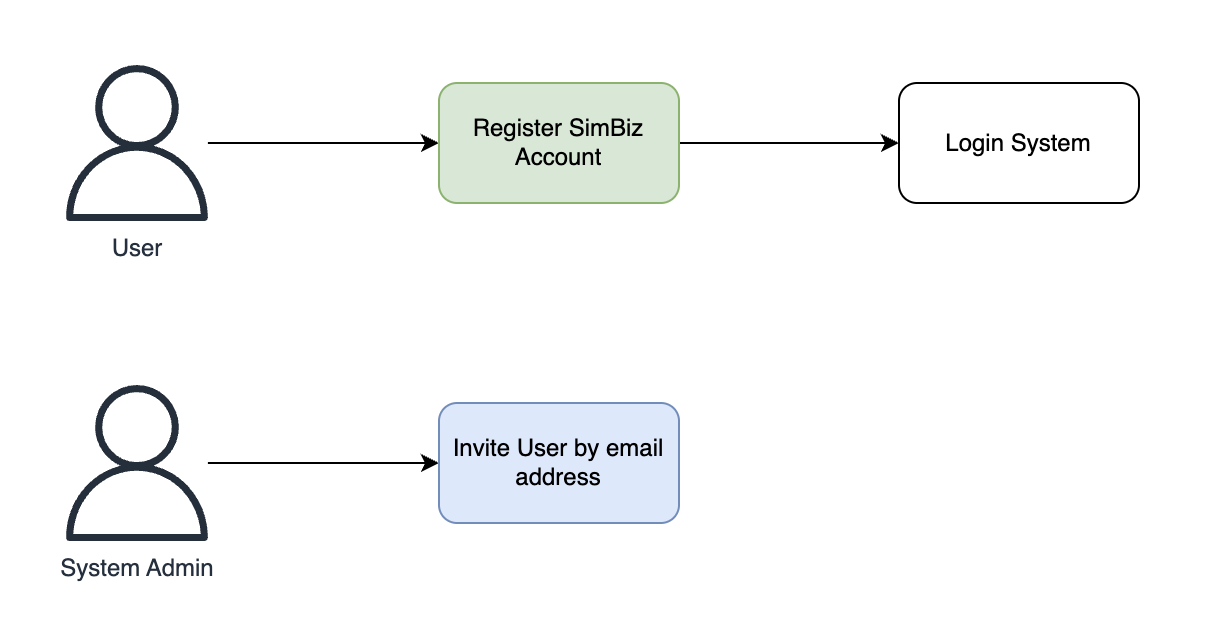
In SimBiz 6, allowing a new user to join the system involves two important steps:
- User Registration : The user must first register for a "SimBiz Account" using their email address.
- Admin Invitation : The System Administrator must then invite the user by entering their registered email address.
1. User Registration
Note: If you have already registered a SimBiz Account, you can skip this step.1.1 User Registration Steps
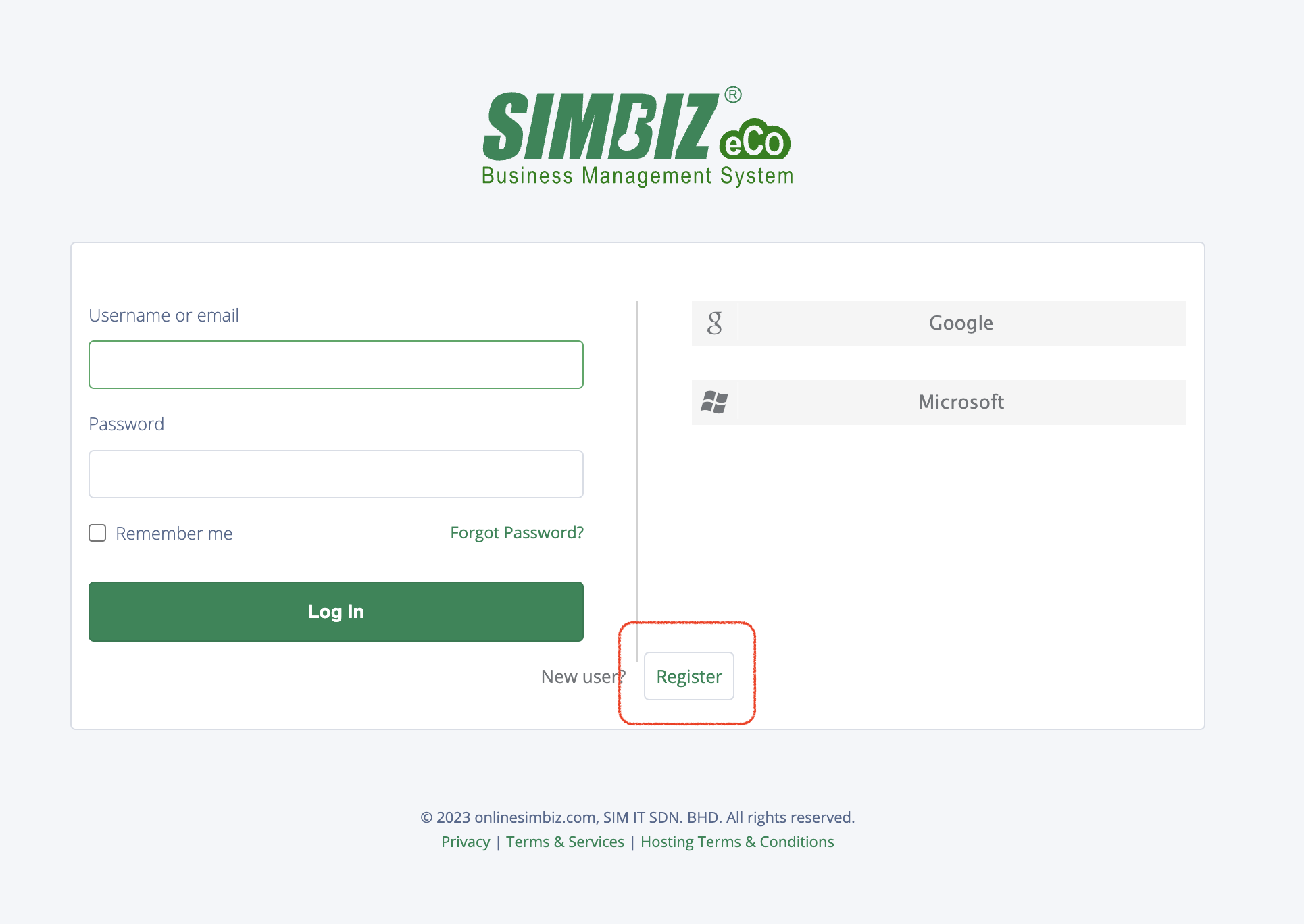
Step 1 : To register a SimBiz Account, the user can go to the system login page and click the "Register" button to access the new account registration form.
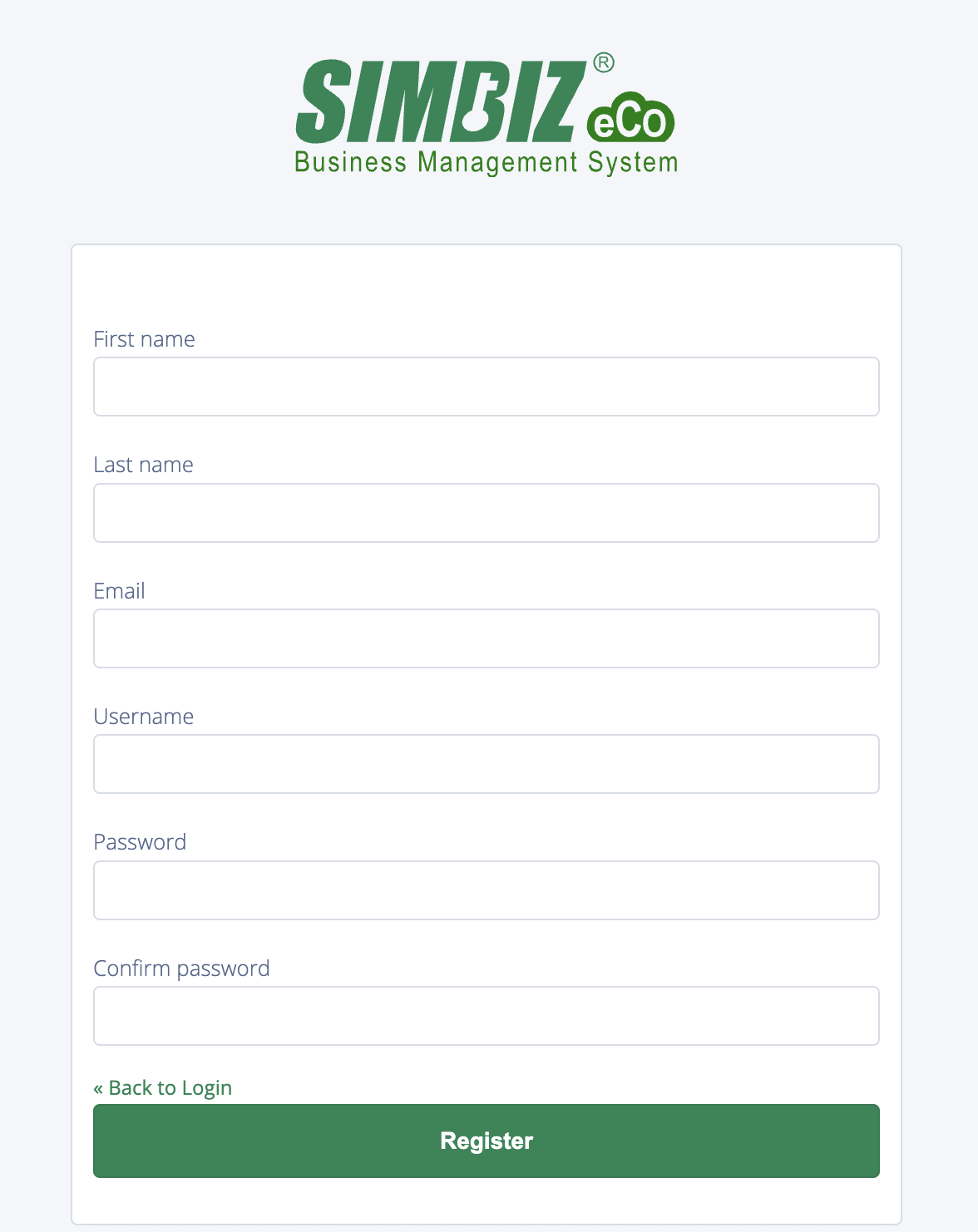
Step 2 : After filling out the registration form and clicking the "Register" button, your account registration will be complete, and you will be able to log in to the system.
Note: You need to ensure that your email address has been invited into the system by the admin. Otherwise, you will see an error screen as shown below.
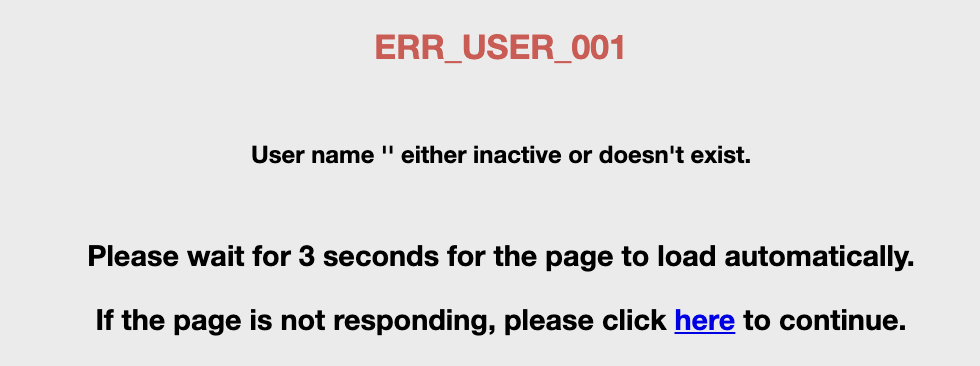 Refer to the "2. Admin Invitation" section for instructions on resolving this issue.
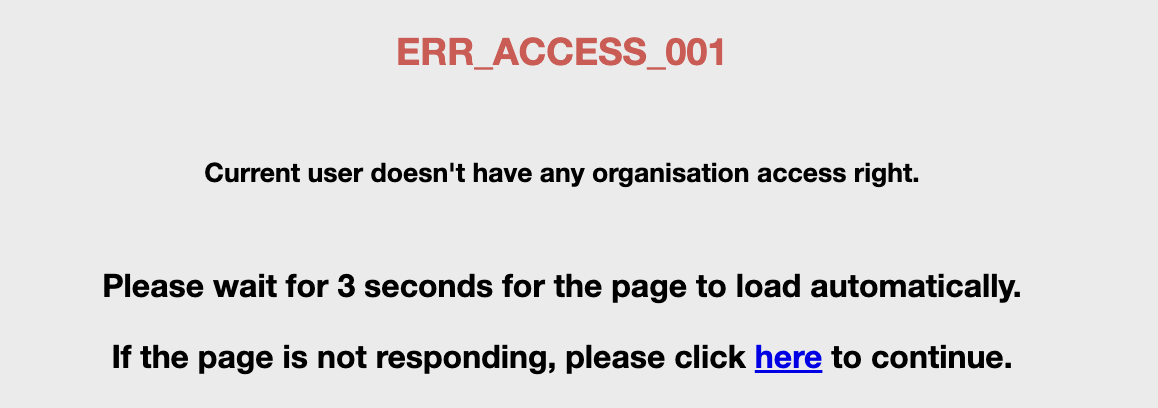
Note: You need to ensure that your account has been assigned access rights to at least one organization. Otherwise, you will see an error screen as show below.
1.2 Common Registration Errors
1.2.1 Email already exists

This error indicates that the email address used for registration has already been used for another SimBiz Account. You cannot use the same email address to register a new account.
Solution 1 :
You can use a different email address to complete the registration.Solution 2 :
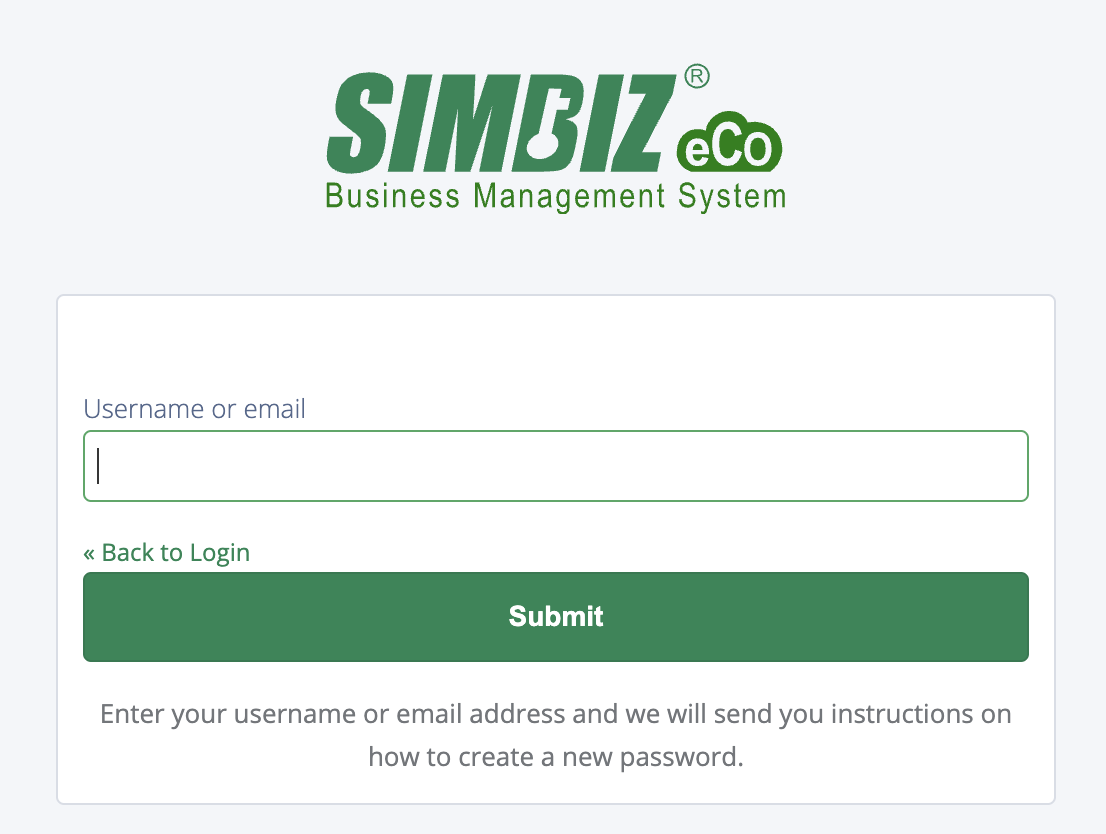
If you are the owner of the email address, you can click "Forgot Password" and enter your email address. The system will then send a password reset link to that email address.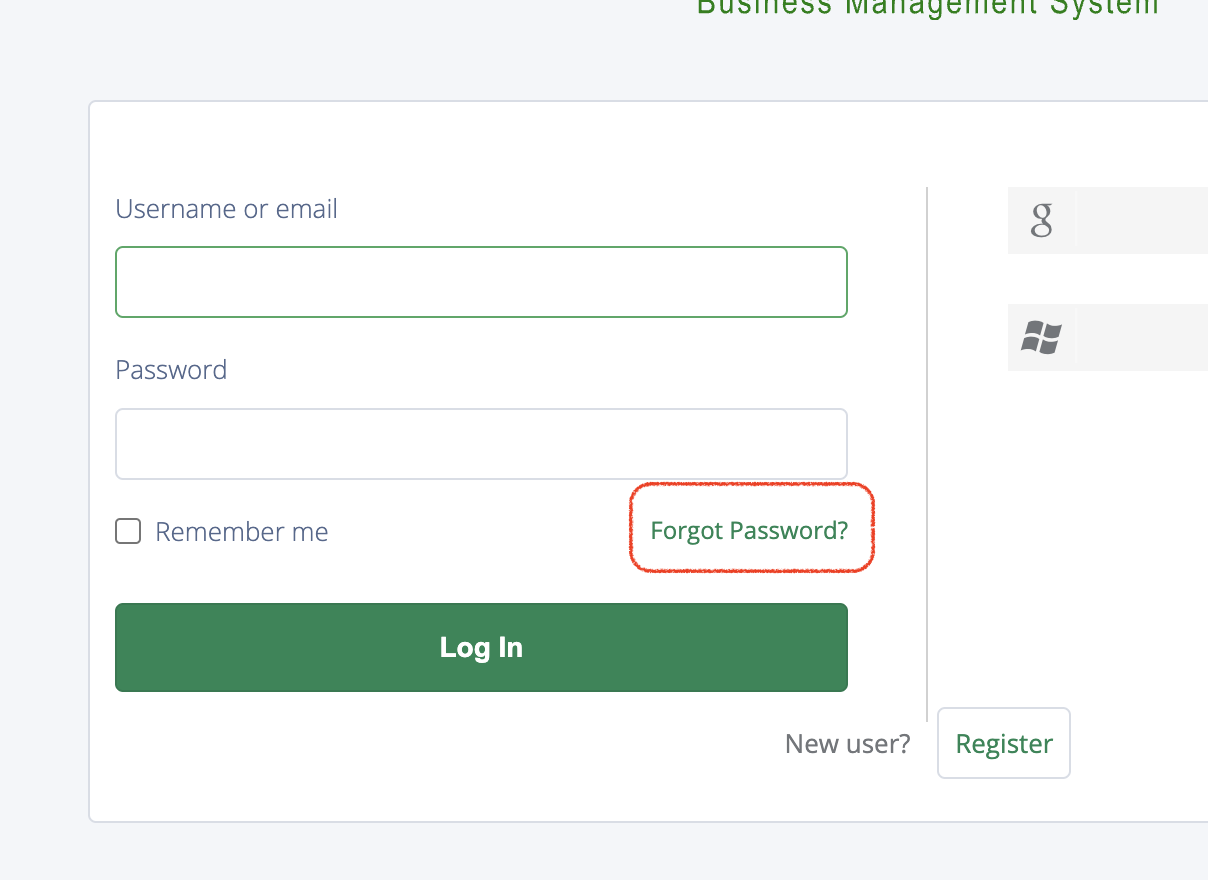
Enter your email address and click "Submit".
After successful submission.
You will receive an email similar to the image below. Please ensure you reset your password within 5 minutes, as the reset link is valid for 5 minutes only.

Note: If you do not receive the email, please check your spam or junk mail folder.1.2.2 Username already exists

This error indicates that the username you want to use for your SimBiz Account is already taken by another user (not just users within your system).
Solution :
You can simply choose a different username.1.2.3 Invalid password
The password policy for SimBiz Accounts is as follows:
- Must contain at least 1 special character
- Must include at least 1 uppercase letter
- Must include at least 1 lowercase letter
- Minimum length: 8 characters




Solution :
You need to ensure that your password meets all of the above requirements.2. Admin Invitation
2.1 Admin Invitation Step
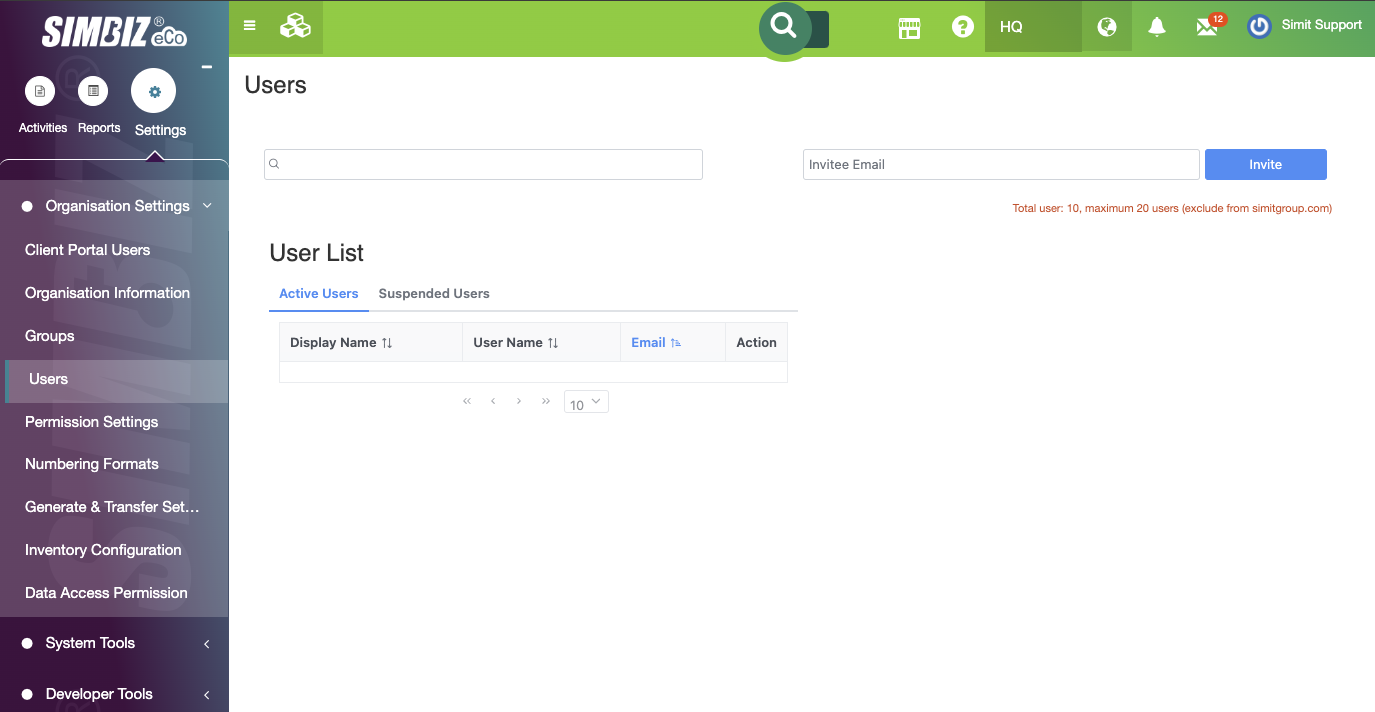
Step 1 : Firstly, go to Settings > Organisation Settings > Users
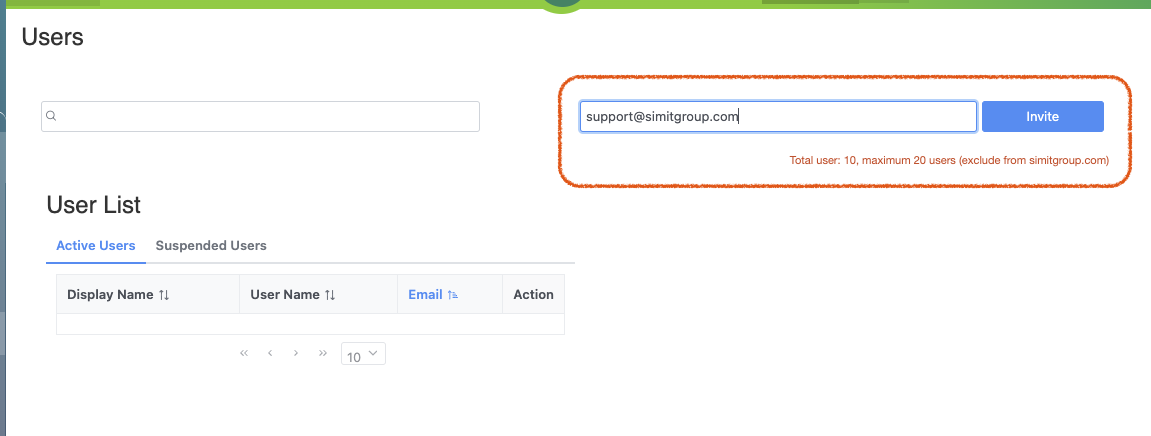
Step 2 : You can insert the email address as shown in the red box below and click the ‘Invite’ button.
Note: If you have reached the maximum user count, you will not be able to invite new users. Please contact our support team to increase your user license limit.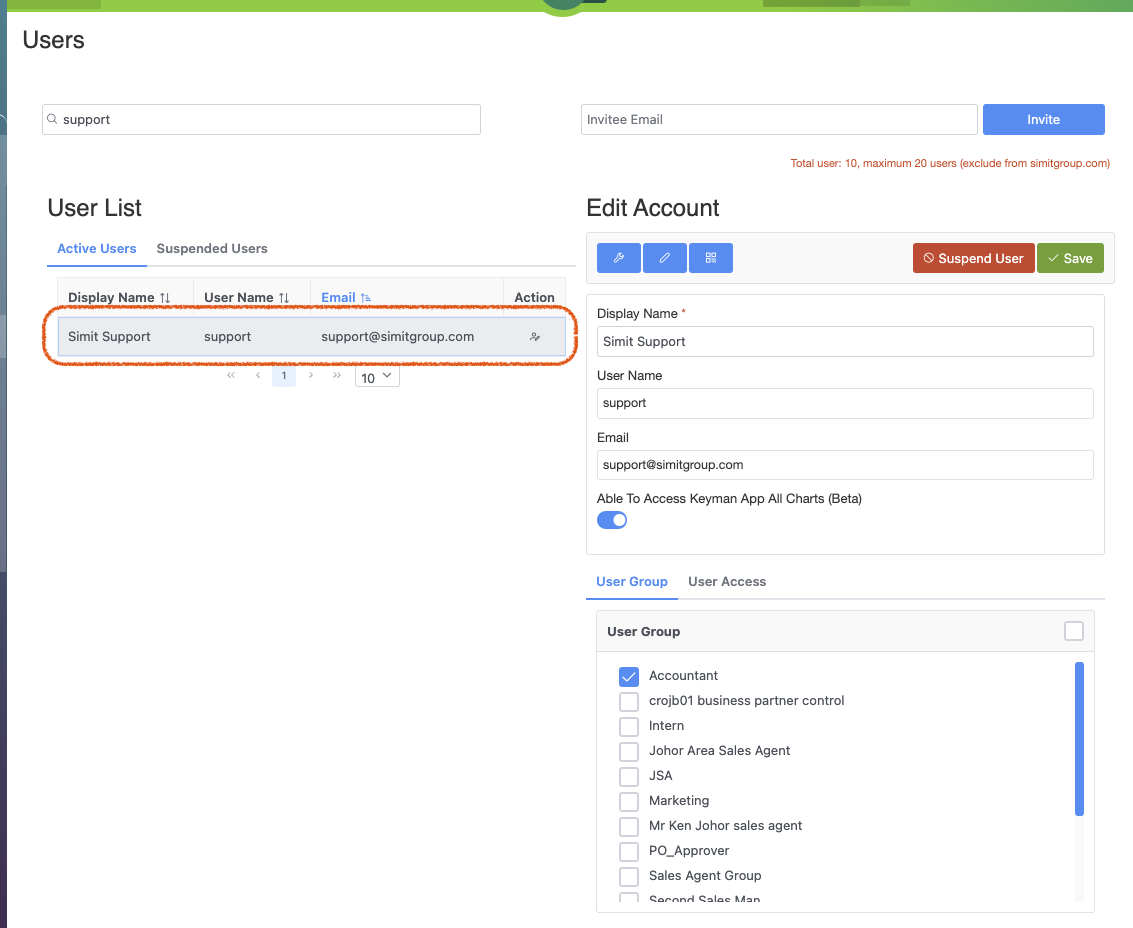 Step 3 : Once you have invited the new user, their account information will appear under the "Active Users" list. You need to click on their record to assign at least one "User Group" and "User Access".
- User Group : Assigning a user group determines the user's permissions. If you do not assign a user group, you will need to set up permissions for the individual user manually.
- User Access : Controls which organisations the user is able to access.
Note: If a user account is not assigned any organization access rights, the user will see an error screen as shown below when logging into the system.
2.2 Common Invitation Errors
2.2.1 Invitation failed
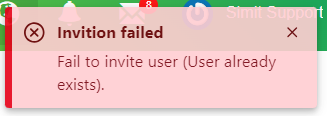
This error message indicate that the invitation of new email address is failed as stated in the error message 'Fail to invite user (User already exists).'
Solution :
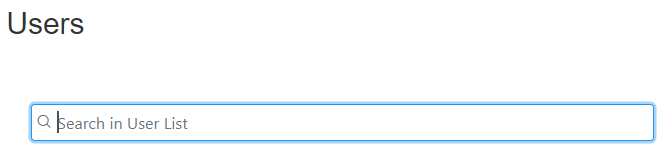
Kindly check in the Active Users or Suspended Users lists.You may use search feature to search the email address quickly.
2.2.2 Invitee email not a valid email address

This error message indicate the new email address is not a valid email address format. For example, the new email address got space in front or at the back of the email address.
Solution :
Kindly check the new email address insert whether got any space or not.

Was this article helpful?
That’s Great!
Thank you for your feedback
Sorry! We couldn't be helpful
Thank you for your feedback
Feedback sent
We appreciate your effort and will try to fix the article