Purpose: To update product and service information.
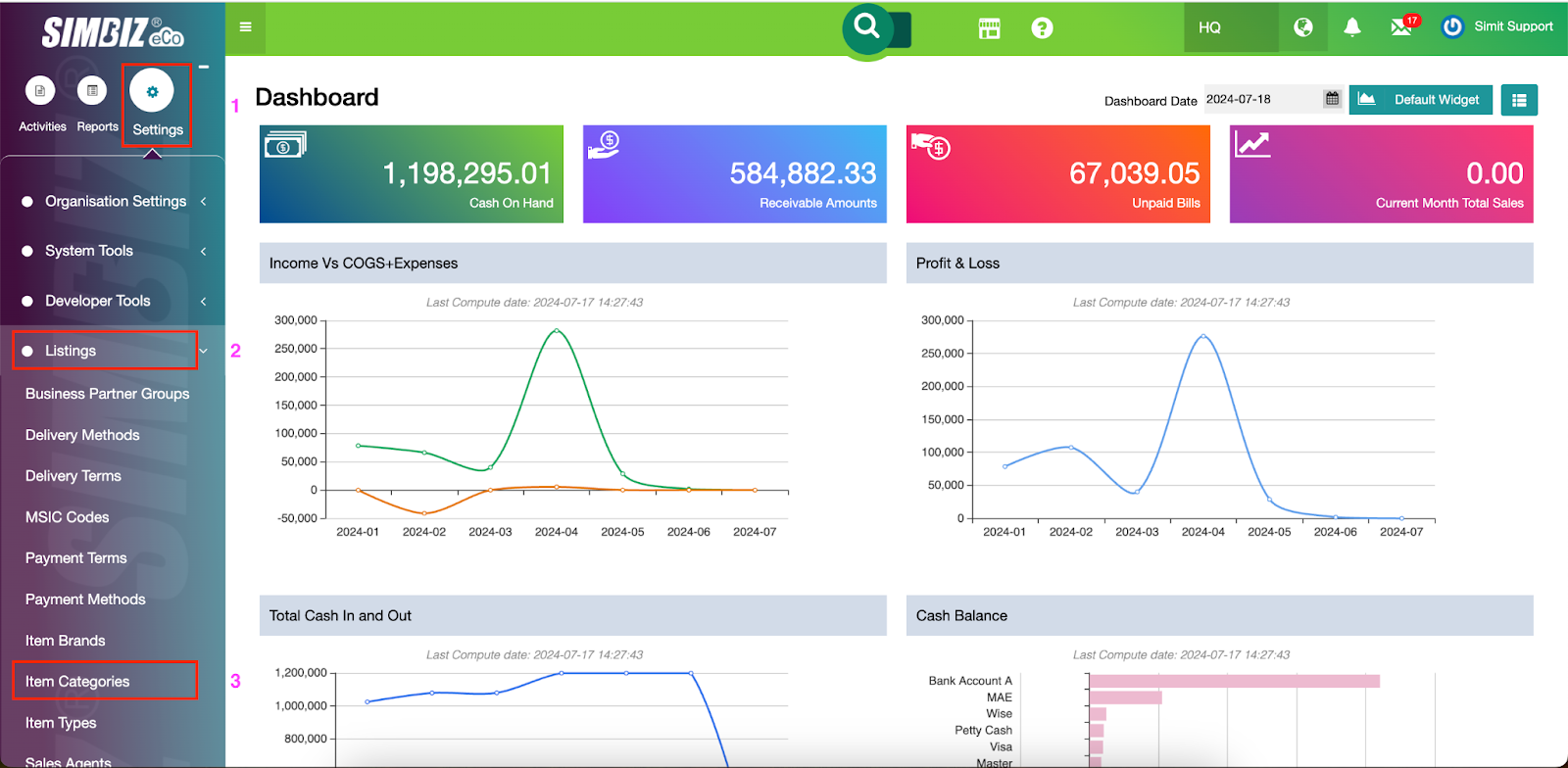
Step 1. Navigate to Settings > Listings > Select Item Categories.
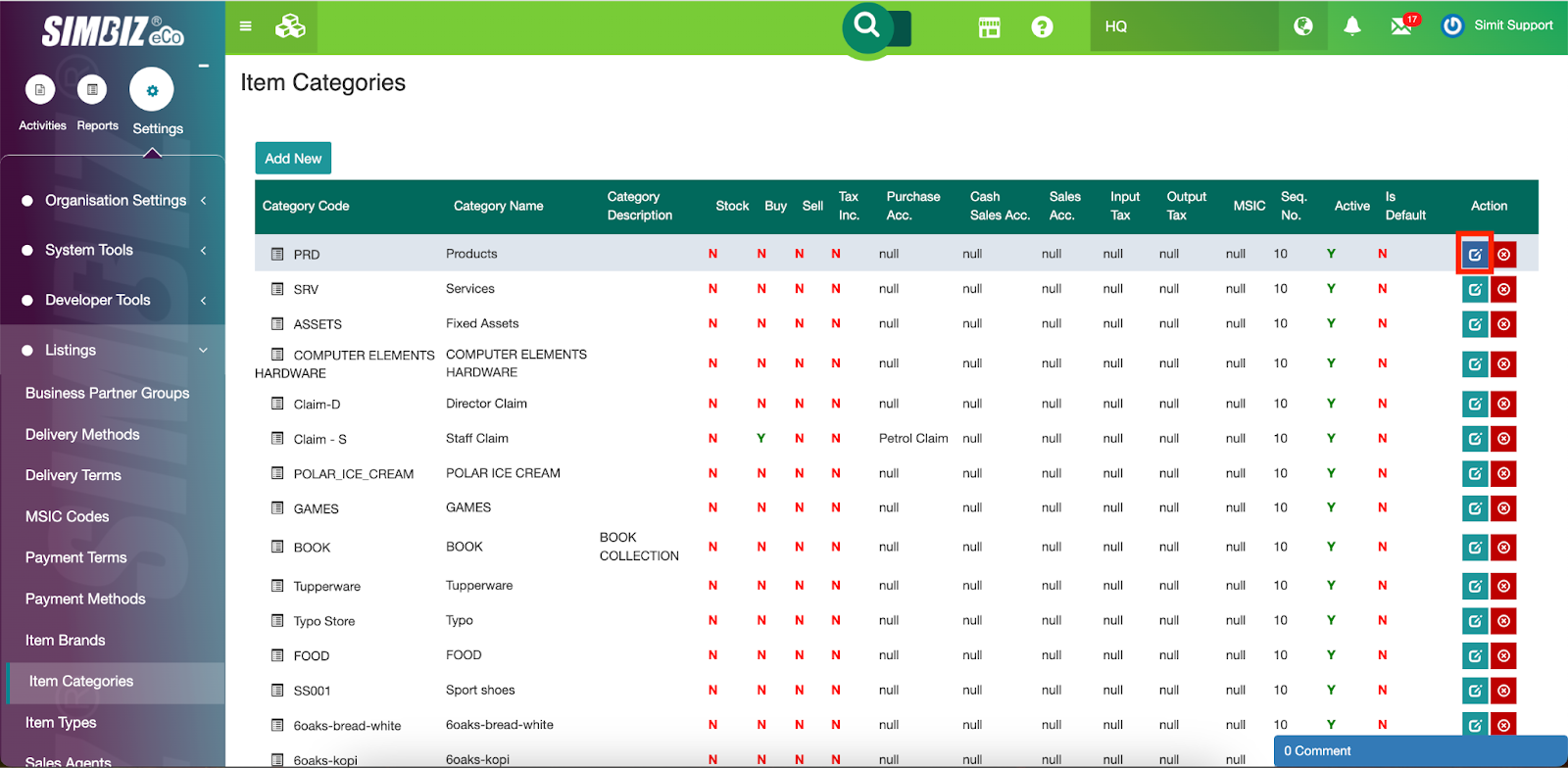
Step 2. For each item category, click the Edit icon under the Action column.
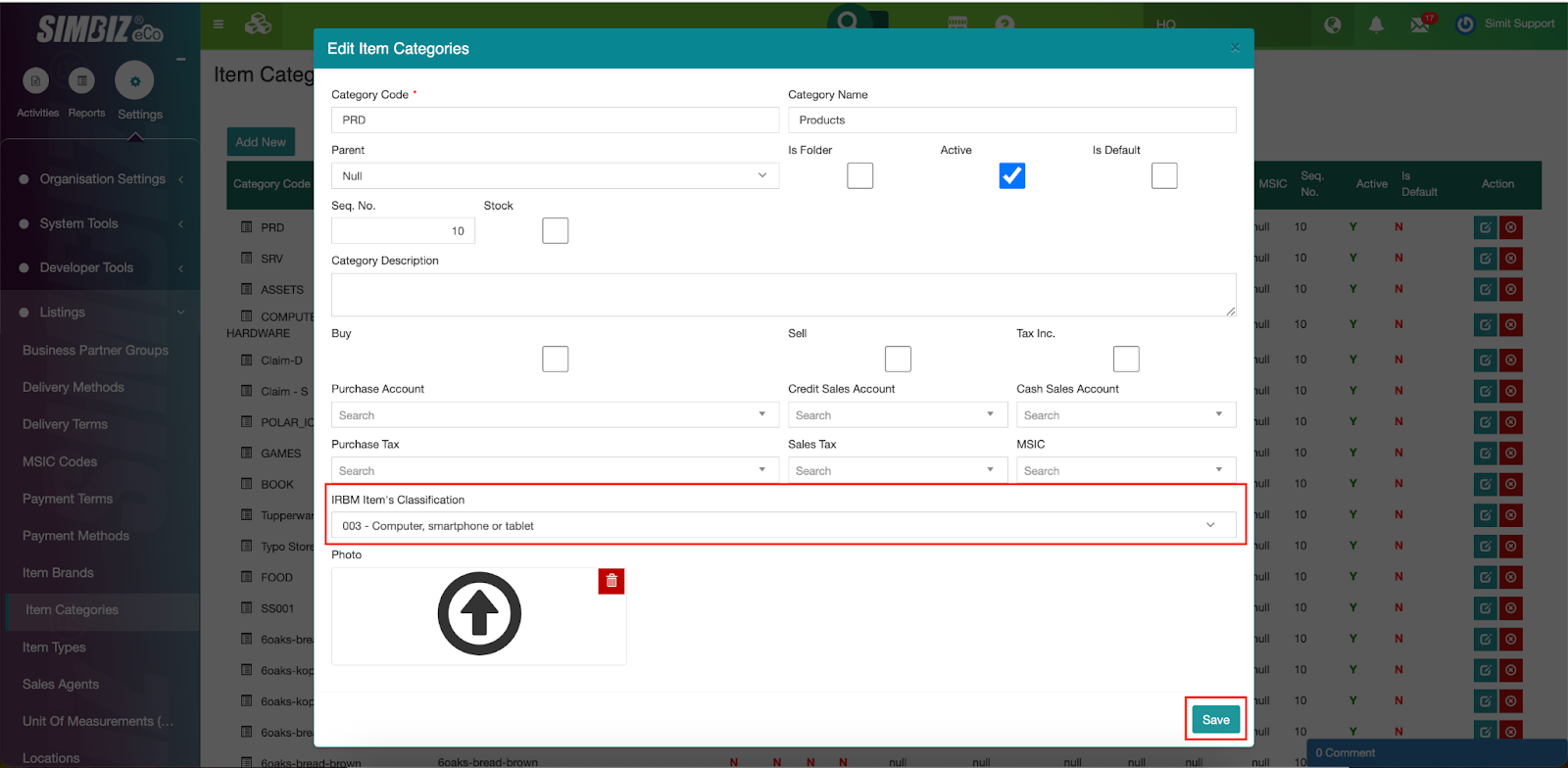
Step 3. Select each category's relevant Inland Revenue Board of Malaysia (IRBM) Item Classification and click the Save button. Repeat this process for all item categories to ensure they are accurately classified according to IRBM standards.
Remarks: If the item is not stored in the Item profile, you need to assign the IRBM’s Item Classification in the More button in the transaction as shown below:
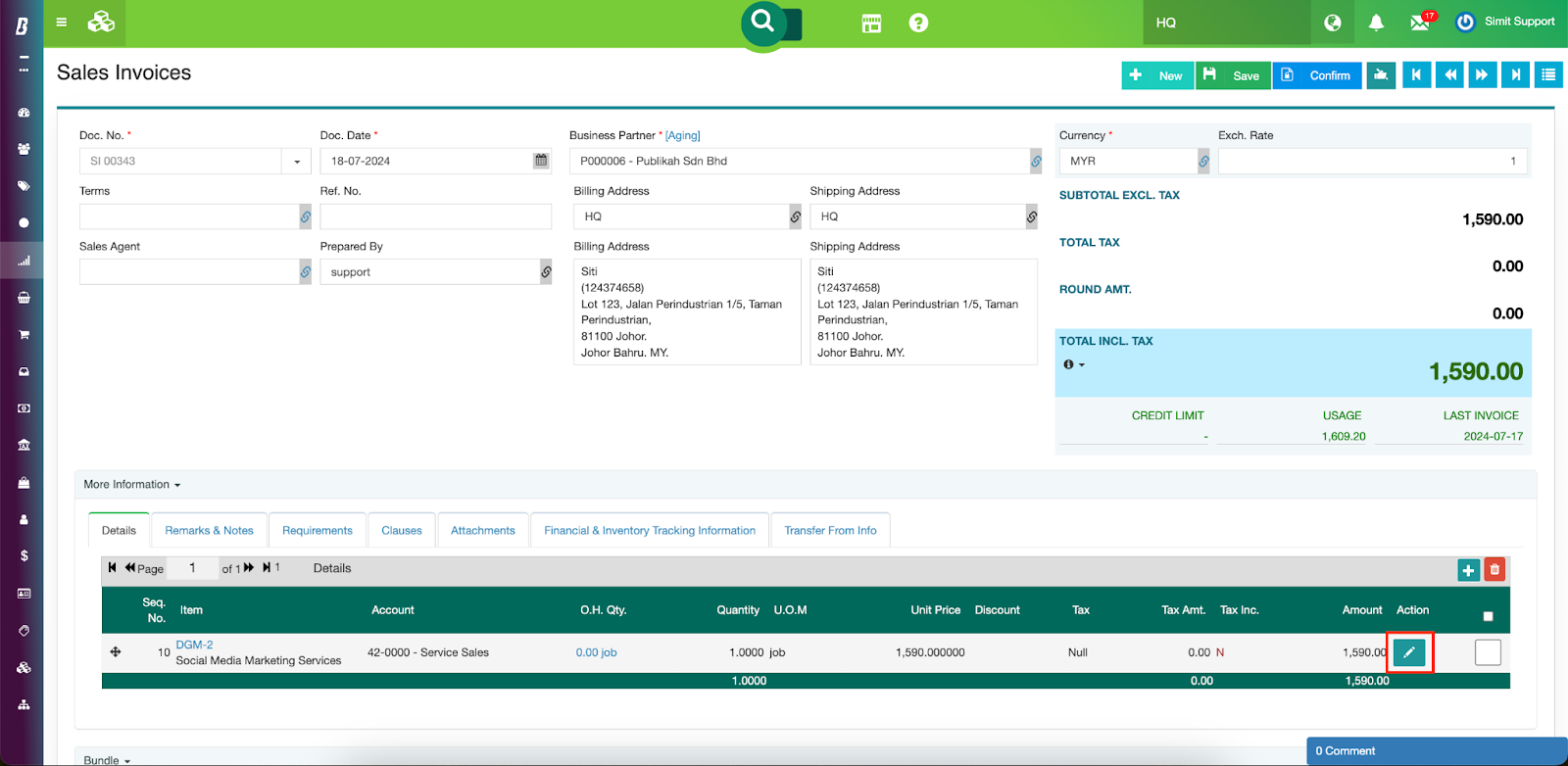
Select the right IRBM’s Item Classification in the dialog box
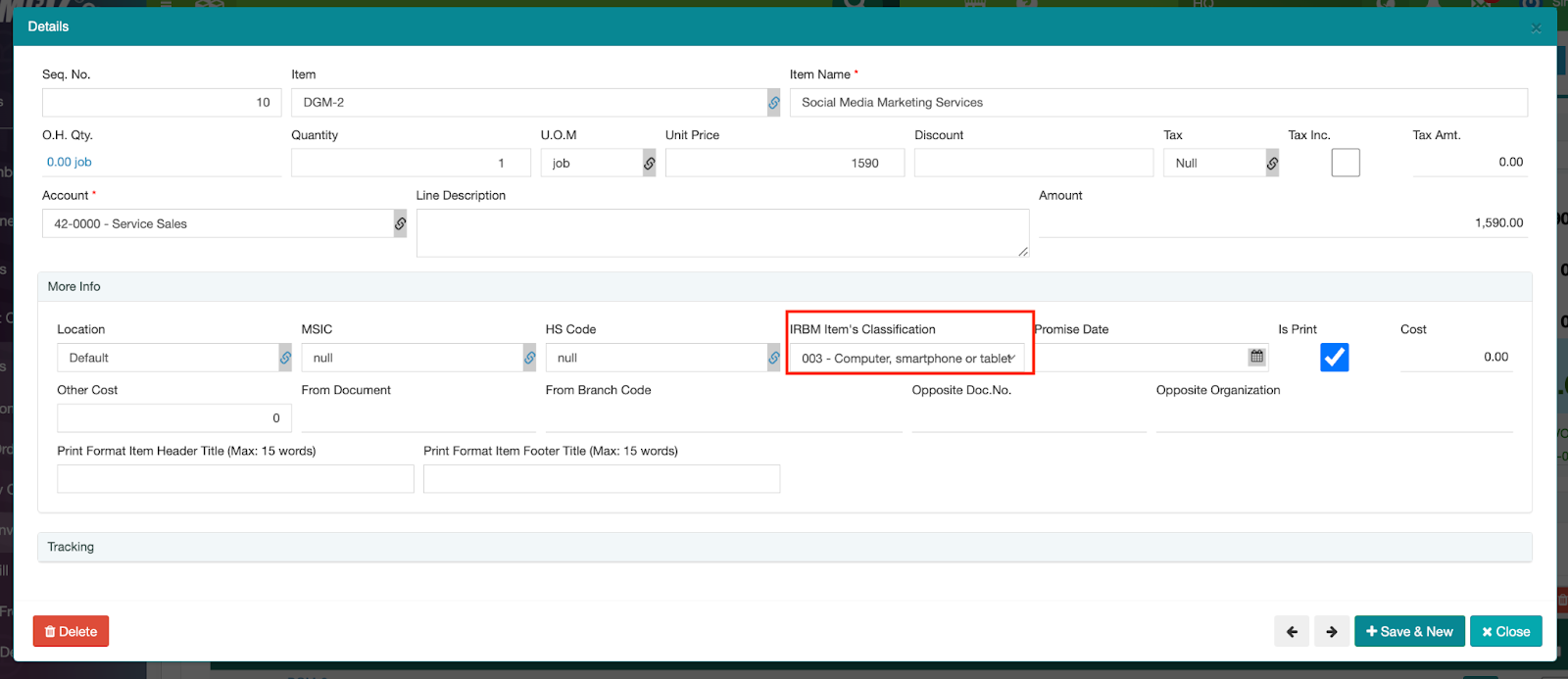
** If your sales invoice screen is customised, please contact our support by submit ticket to request add on the Classification Code into your customised screen.
Was this article helpful?
That’s Great!
Thank you for your feedback
Sorry! We couldn't be helpful
Thank you for your feedback
Feedback sent
We appreciate your effort and will try to fix the article