Inventory Adjustment is used when there are increases or decreases made in inventory to account for theft, loss, breakages and errors in the amount or number of items received. Inventory adjustment also be made when there’s a consumption of your own inventory.
To create an inventory adjustment document, go to Activities -> Inventory -> Inventory Adjustment
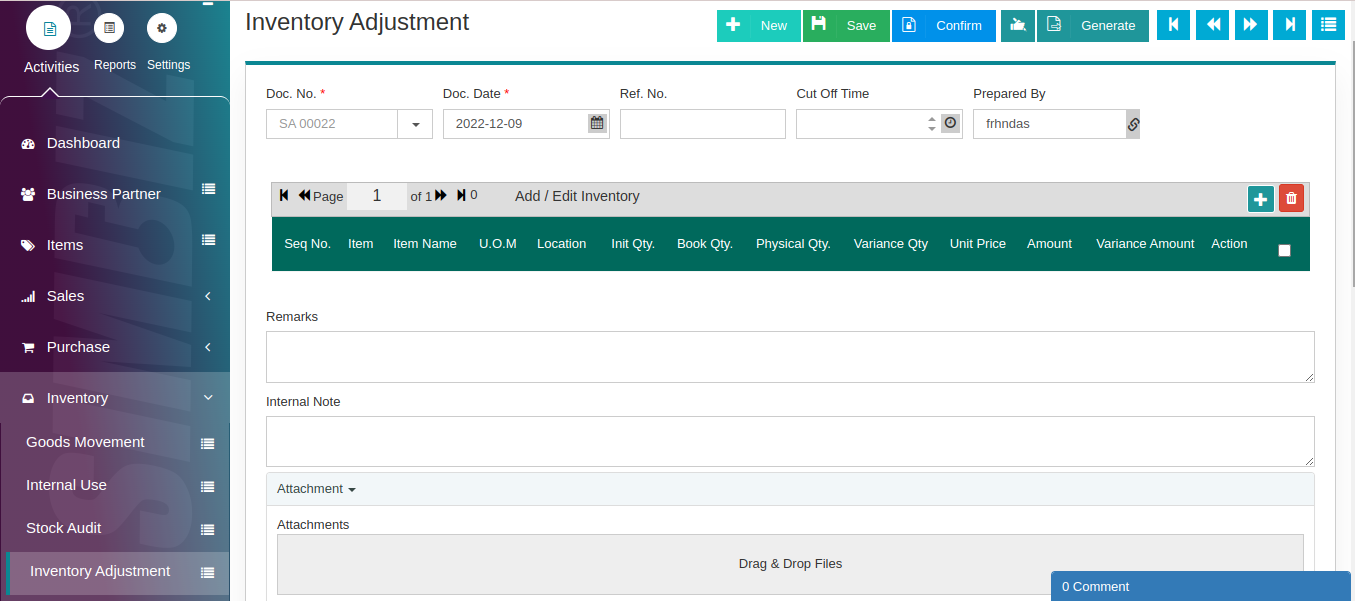
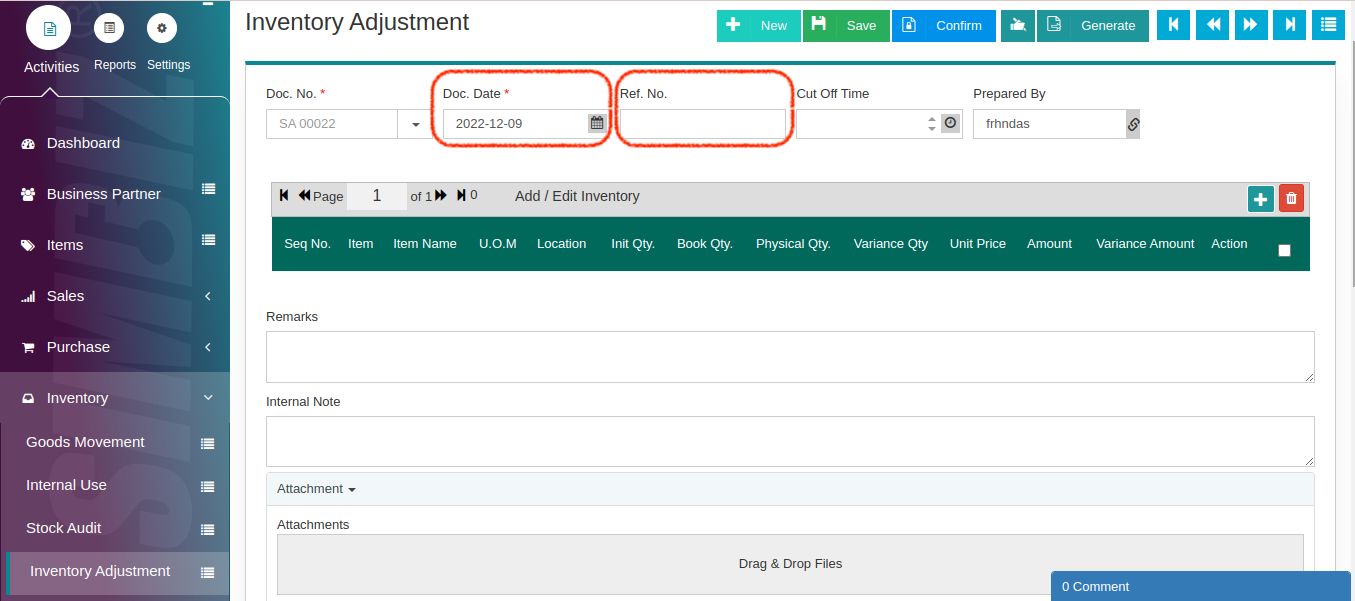
You can choose Document Date and insert Ref. No (Optional)
Then, select the intended item at the Item field followed by Location of inventory that you wanted to make an adjustment.
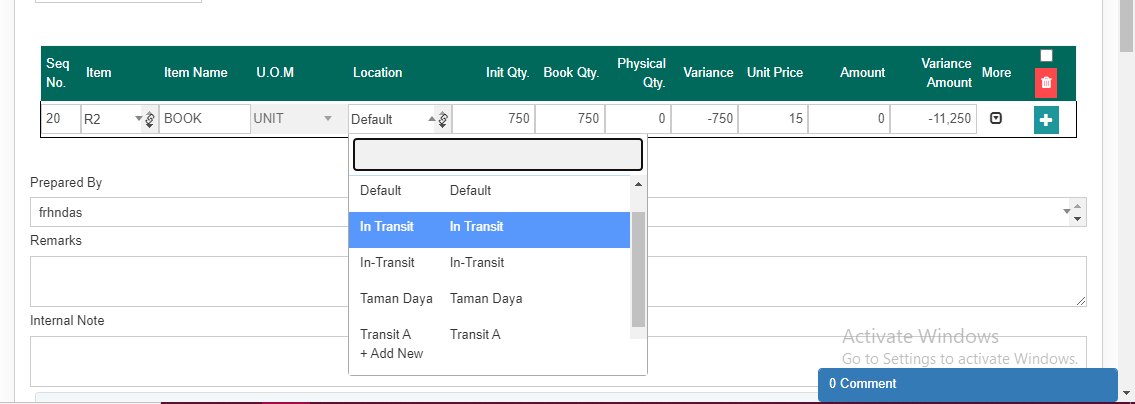
As shown in the red box below, the Init Qty. show the quantity of the stock recorded in the system. Meanwhile, the Physical Qty. is the quantity that you wanted to adjust and there’s a Variance that will show you the differences between the Init. Qty and Physical Qty. You can also adjust the Unit Price for the intended stock item.

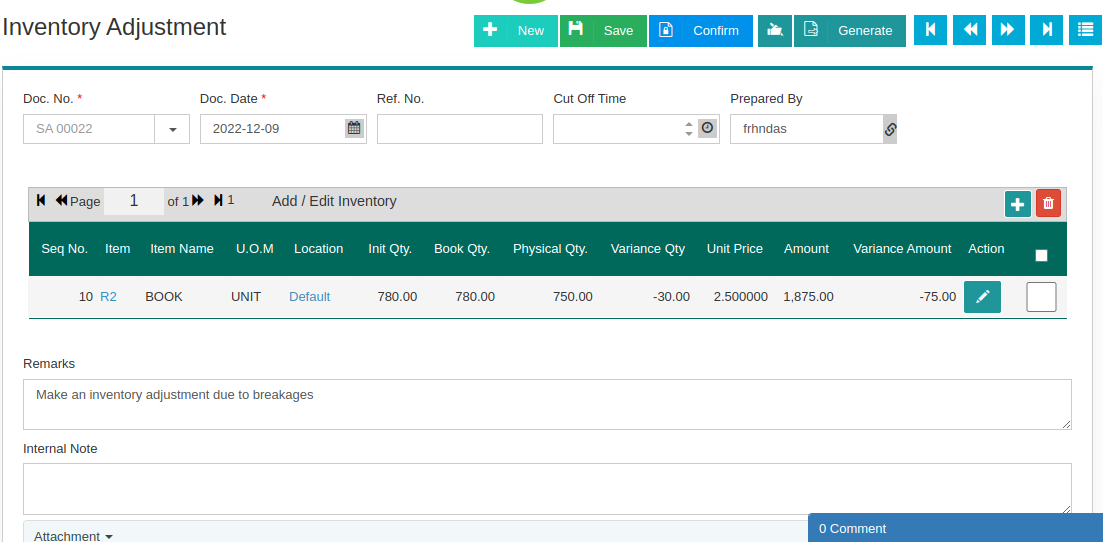
You can also add some Remarks and Internal Note as shown below. Click the ‘Confirm’ button after ensuring all the details are correct.
You can view the Stock Transaction on the Inventory Reports. Select the intended item on the Item field and then, click the ‘Search’ button.
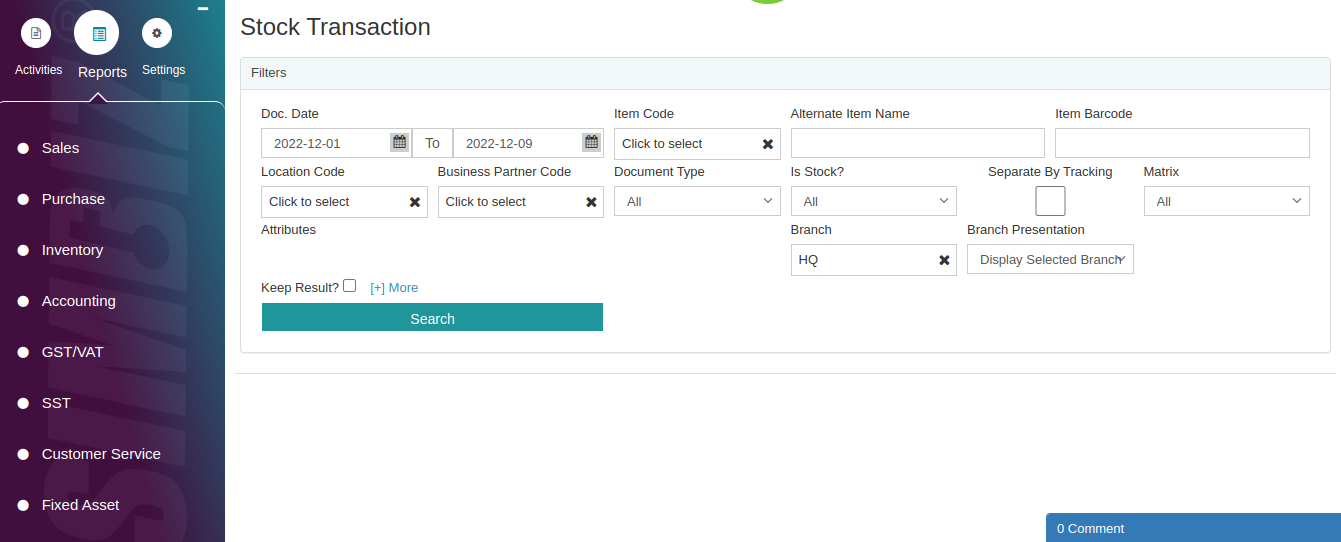
You’ll perceive the changes of the stock after an adjustment has been made.

Was this article helpful?
That’s Great!
Thank you for your feedback
Sorry! We couldn't be helpful
Thank you for your feedback
Feedback sent
We appreciate your effort and will try to fix the article